Are you tired of battling poor posture and a cluttered desk during your intense gaming sessions? A monitor arm is not just an accessory; it’s a crucial upgrade for any serious gamer or professional seeking to optimize their workspace and enhance ergonomics. When it comes to performance and aesthetics, the ASUS ROG Ergo Monitor Arm stands out as a premium solution. Designed with the discerning gamer in mind, it promises not only a cleaner desk but also a more comfortable and immersive experience. This comprehensive guide will delve into what makes the ASUS ROG Ergo Monitor Arm a game-changer, exploring its features, benefits, and how it can transform your setup.
What is a Monitor Arm and Why Do You Need One?
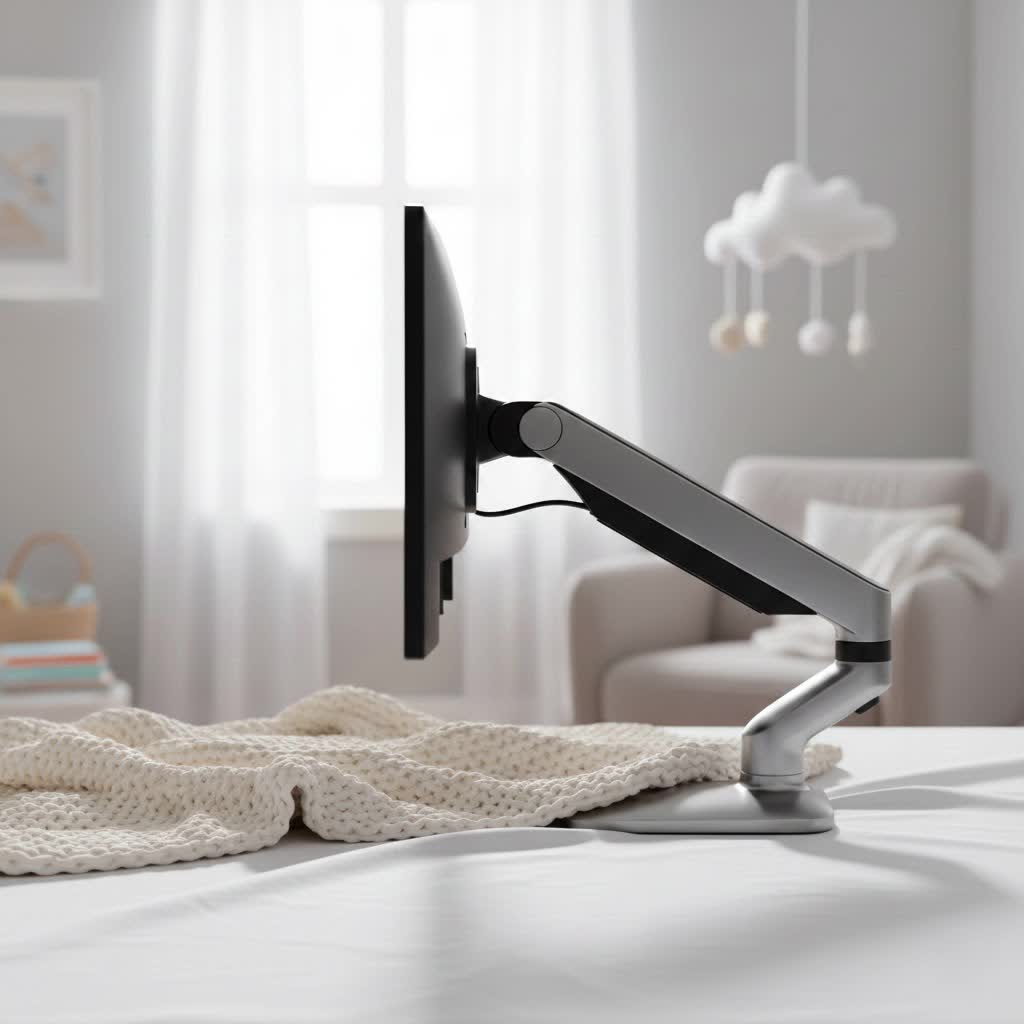
A monitor arm is a mechanical device engineered to support your monitor, allowing it to float above your desk surface. Unlike traditional monitor stands that offer limited adjustability, a monitor arm provides unparalleled flexibility in positioning your screen. It enables you to adjust height, tilt, swivel, and even rotate your monitor with ease, ensuring it’s always at the optimal viewing angle.
But why is this important? The benefits extend far beyond mere convenience. Firstly, monitor arms are paramount for ergonomics. By allowing precise adjustments, they help prevent common issues like neck strain, back pain, and eye fatigue, which often result from prolonged periods spent hunched over a fixed screen. Achieving the right monitor height and distance can significantly improve your posture and overall well-being. Secondly, monitor arms are space-savers. They reclaim valuable desk real estate that would otherwise be occupied by a bulky monitor stand, freeing up room for your keyboard, mouse, peripherals, or other essentials. For those with multi-monitor setups, they create a streamlined and organized battlestation, boosting both productivity and immersion.
The ASUS ROG Ergo Monitor Arm AAS01: A Closer Look
While many monitor arms exist on the market, the ASUS ROG Ergo Monitor Arm (model AAS01) carves its niche by combining robust functionality with an unmistakable gaming aesthetic. This isn’t just a generic mount; it’s a meticulously designed accessory crafted to complement your existing ASUS ROG ecosystem, blending seamlessly with your high-performance gear.
The AAS01 boasts a distinctive, “cyberpunk-inspired” design, embodying the edgy and futuristic look synonymous with the Republic of Gamers brand. It’s built for those who demand not only peak performance from their hardware but also a visually striking setup. Beyond its striking appearance, the AAS01 is engineered for practicality, offering wide-ranging compatibility, a full spectrum of motion, and smart cable management solutions. This desk-mounted arm is tailored to elevate your monitor, literally and figuratively, providing the freedom and flexibility needed for competitive gaming and extended work sessions alike.
Desk Mount: The Foundation of the AAS01
The ASUS ROG Ergo Monitor Arm AAS01 is designed as a desk mount, the most popular and versatile type for most users.
- Advantages of Desk Mounts: They offer straightforward installation, typically clamping to the back edge of your desk or inserting into a grommet hole. This makes them relatively easy to set up, reposition, or even move to a different desk if needed. Desk mounts also provide excellent stability for a single or multiple monitors, accommodating various desk shapes and sizes.
- AAS01 Specifics: The AAS01 utilizes a robust desk clamp mechanism that securely grips surfaces ranging from 0.39 inches to 3.15 inches (10mm to 80mm) in thickness. This wide compatibility ensures it can be attached to most standard gaming desks or workstations, providing a firm and reliable foundation for your monitor.
|
Our Picks for the Best Monitor Arm in 2026
As an Amazon Associate I earn from qualifying purchases.
|
||
| Num | Product | Action |
|---|---|---|
| 1 | HUANUO Single Monitor Mount, 13 to 32 Inch Monitor Arm, Adjustable Monitor Stand, Vesa Mount with Clamp and Grommet Base - Fits 4.4 to 19.8lbs LCD Computer Monitors |

|
| 2 | HUANUO Single Monitor Mount, 13 to 32 Inch Gas Spring Monitor Arm, Adjustable Stand, Vesa Mount with Clamp and Grommet Base - Fits 4.4 to 19.8lbs LCD Computer Monitors |
|
| 3 | WALI Ultrawide Monitor Arm for 17-49 Inch Heavy Duty Curved Screens, Holds up to 44 Lbs, Adjustable Gas Spring Single Monitor Desk Mount with C-Clamp, Grommet Base, 75/100mm VESA, (GSM001XL), Black |
|
| 4 | WALI Single Monitor Mount, Gas Spring Monitor Arm for 17-34 inch Screens, Adjustable Computer Monitors Stand up to 26.4lbs, with Clamp and Grommet Base, Mounting Holes 75 and 100mm (GSMP001N), Black |
|
| 5 | HUANUO Dual Monitor Stand, Fully Adjustable Gaming Monitor Desk Mount for 13–32″ Computer Screens, Full Motion VESA 75x75/100x100 with C-Clamp & Grommet Base, Each Arm Holds 4.4 to 19.8 lbs |
|
| 6 | ARES WING Single Monitor Wall Mount for 17-40 Inch Ultrawide Screens, Heavy Duty Monitor Arm Up to 26.4 lbs, Fully Adjustable Wall Mount, VESA 75x75/100x100 Compatible, Black |
|
| 7 | WALI Single Monitor Arm Mount Stand, Adjustable Gas Spring Arm Monitor Mount for Display up to 32 Inch,19.8lbs Capacity (GSMP001W), White |
|
| 8 | WALI Ultrawide Monitor Arm for 13 to 49 Inch Heavy Duty Curved Screens, Adjustable Gas Spring Single Monitor Desk Mount with 2 USB 3.0 Ports, Holds 33 lbs, 75x75/100x100 VESA, Silver (GSMU001) |
|
| 9 | HUANUO Dual Monitor Stand, Fully Adjustable Monitor Desk Mount for 13–32″ Computer Screens, Full Motion VESA 75x75/100x100 with C-Clamp & Grommet Base, Each Arm Holds 4.4 to 19.8 lbs -Grey |
|
| 10 | WALI Ultrawide Monitor Arm for 13 to 49 Inch Heavy Duty Curved Screens, Adjustable Gas Spring Single Monitor Desk Mount with 2 USB 3.0 Ports, Holds 33 lbs, 75x75/100x100 VESA, White (GSMU001-W) |
|
Mechanical Spring Arm: Smooth and Precise Adjustments
At the heart of the AAS01’s dynamic adjustability is its mechanical spring system. Unlike traditional fixed stands or friction-based arms, a mechanical spring arm uses a sophisticated coil spring mechanism to counterbalance your monitor’s weight. This allows for smooth, effortless adjustments across its full range of motion.
- Advantages of Mechanical Spring Arms: Mechanical spring arms are celebrated for their durability and consistent performance. They provide stable and precise positioning, allowing you to fine-tune your monitor’s height with minimal effort. This system is generally reliable and less prone to the potential pressure leaks or degradation that can sometimes affect gas spring mechanisms over very long periods, ensuring your arm maintains its smooth operation for years.
- AAS01 Specifics: The ASUS ROG Ergo Monitor Arm AAS01 leverages this robust mechanical spring system, enabling fluid height adjustments, tilts, swivels, and pivots. This ensures that whether you’re making minor tweaks or dramatic repositioning, your monitor moves precisely to your desired spot and stays there, without sagging or drifting.
ASUS ROG Ergo Monitor Arm AAS01: Features and Specifications
The ASUS ROG Ergo Monitor Arm AAS01 is packed with features designed to meet the high demands of modern users, especially gamers. Understanding its specifications is key to ensuring it fits your setup perfectly.
| Feature | ASUS ROG Ergo Monitor Arm AAS01 |
|---|---|
| Arm Type | Desk Mount, Mechanical Spring Arm |
| Max Screen Size | Up to 39 inches |
| Max Flat Monitor Weight | 25.35 lbs (11.5 kg) |
| Max Curved Monitor Weight | 18.74 lbs (8.5 kg) |
| VESA Compatibility | 100x100mm (standard) |
| Desk Thickness Compatibility | 0.39 – 3.15 inches (10-80mm) |
| Max Height Adjustment | 19.67 inches (49.97 cm) lift |
| Max Arm Extension | 25.09 inches (63.7 cm) |
| Tilt Range | +80° (upward) to -25° (downward) |
| Swivel Range | ±90° (left/right) |
| Pivot/Rotation | 360° (for landscape to portrait orientation) |
| Cable Management | Double-sided integrated channels for wire organization |
| Durability Testing | 10,000-cycle range-of-motion test for long-term reliability |
| Design Aesthetics | Premium, Cyberpunk-inspired, complements ROG hardware |
The AAS01 is built to accommodate a wide array of monitors, particularly those commonly used in gaming setups. Its VESA 100x100mm compatibility is a standard found on most modern displays, ensuring broad appeal. The impressive weight capacity means it can securely hold substantial monitors, including many larger ultrawide or curved gaming displays within its specified limits. The extensive range of motion — including height, tilt, swivel, and full 360° pivot — allows for unparalleled flexibility, letting you achieve any desired viewing angle or orientation, from landscape for gaming to portrait for coding or streaming. Furthermore, the double-sided integrated cable management is a thoughtful addition, crucial for maintaining the clean, minimalist look essential for any high-end gaming station. These channels ensure all your display cables are neatly tucked away, enhancing both aesthetics and safety.
Why Choose the ASUS ROG Ergo Monitor Arm for Your Gaming Setup?
Investing in the ASUS ROG Ergo Monitor Arm AAS01 is more than just buying a mount; it’s an upgrade to your entire gaming ecosystem. Here’s why it stands out as an exceptional choice:
- Enhanced Ergonomics for Marathon Sessions: Gaming often involves long hours in front of a screen. The AAS01 empowers you to effortlessly adjust your monitor to the perfect ergonomic height and angle, drastically reducing neck, back, and eye strain. This means you can maintain focus and comfort, leading to better performance and healthier habits during those crucial gaming marathons.
- Maximized Desk Space for Peak Performance: A cluttered desk can be a major distraction. By lifting your monitor off its original stand, the AAS01 frees up significant desk real estate. This allows you to spread out your peripherals, organize your essentials, or even accommodate a larger mouse pad for more expansive, unhindered mouse movements crucial in competitive titles.
- Seamless Integration with the ROG Ecosystem: If you’re already an ASUS ROG enthusiast, the AAS01 is designed to be the perfect complement. Its premium, cyberpunk-inspired aesthetic aligns perfectly with ROG monitors, PCs, and peripherals, creating a cohesive and visually stunning battlestation. It’s an extension of the high-quality, performance-driven design language that ROG is known for.
- Uncompromising Durability and Reliability: Built to the stringent standards expected from ROG, the AAS01 undergoes rigorous testing, including a 10,000-cycle range-of-motion test. This commitment to quality ensures that your monitor arm will perform reliably for years to come, securely holding your valuable display without compromise.
- Effortless, Precision Adjustments: The advanced mechanical spring system allows for incredibly smooth and precise adjustments. Whether you need to tilt your screen to reduce glare, swivel it to share content with a friend, or pivot it to portrait mode for streaming chat, the AAS01 responds with fluid, controlled motion, allowing for quick and hassle-free customization.
“A well-chosen monitor arm like the ROG Ergo doesn’t just clear up your desk; it revolutionizes your interaction with your entire setup. The precision and stability it offers are invaluable for maintaining focus and comfort, especially during critical moments in games.” – Admin, Review Munki
Installation and Optimal Usage of Your ROG Ergo Monitor Arm
Setting up the ASUS ROG Ergo Monitor Arm AAS01 is a straightforward process, designed to get you gaming faster. Here’s a simplified guide to installation and getting the most out of your new monitor arm:
Step-by-Step Installation:
- Attach the VESA Plate: Begin by securely attaching the VESA mounting plate to the back of your monitor. Ensure the screws are tightened properly.
- Secure the Desk Clamp: Position the desk clamp at the desired location on the back edge of your desk. The AAS01 is compatible with desks from 0.39 to 3.15 inches thick. Tighten the clamp firmly to ensure stability. If your desk has a grommet hole, you can also utilize that for a cleaner mount.
- Mount the Arm Assembly: Connect the main arm assembly to the desk clamp base. Follow the instructions in the user manual to ensure it’s locked into place.
- Attach the Monitor: Carefully lift your monitor (with the VESA plate attached) and slide it onto the arm’s VESA head. Secure it with the provided mechanism, usually a quick-release or a simple screw.
- Adjust Tension: Once the monitor is attached, you may need to adjust the tension of the mechanical spring. Use the included Allen key to fine-tune the arm’s tension, allowing it to hold your monitor’s weight perfectly and move smoothly without drifting or springing up.
Optimal Usage Tips:
- Eye Level Rule: Position the top edge of your monitor screen roughly at eye level. This encourages a neutral head and neck posture, preventing downward tilting.
- Arm’s Length Distance: Maintain an arm’s length distance between your eyes and the screen. Adjust the arm’s extension to achieve this comfortably.
- Vary Your Posture: Don’t stay rigid. The arm’s flexibility allows you to easily shift your monitor’s position if you want to lean back, stand, or adjust your viewing angle for specific tasks.
- Leverage Full Motion: Experiment with the tilt, swivel, and pivot functions. Tilt to reduce glare, swivel to share your screen with someone else, or pivot to portrait mode for reading long documents, coding, or managing a live stream chat.
- Cable Management is Key: Utilize the integrated double-sided cable channels to route your monitor, power, and peripheral cables. This not only creates a clean setup but also prevents cables from snagging or interfering with the arm’s movement.
Maintaining Your ASUS ROG Ergo Monitor Arm
Proper care and maintenance will ensure your ASUS ROG Ergo Monitor Arm AAS01 continues to perform flawlessly for years, protecting your investment and maintaining your ergonomic setup.
- Regular Cleaning: Periodically wipe down the arm with a soft, dry, or slightly damp cloth. Avoid abrasive cleaners or harsh chemicals, which can damage the finish.
- Check Connections: Every few months, quickly check all screws and connection points to ensure they remain tight and secure. While the AAS01 is rigorously tested for durability, ambient vibrations or frequent adjustments can sometimes loosen fasteners over time.
- Spring Mechanism Care: The mechanical spring system is designed for longevity. Avoid exceeding the specified weight limits, as this can strain the mechanism. If you notice any changes in the arm’s ability to hold your monitor, re-adjust the tension as per the installation guide.
- Cable Integrity: Ensure that cables routed through the management channels are not pinched or excessively bent, which could lead to damage over time.
By following these simple maintenance tips, your ASUS ROG Ergo Monitor Arm will remain a reliable and stylish component of your high-performance gaming setup.
Conclusion
The ASUS ROG Ergo Monitor Arm AAS01 is more than just a mounting solution; it’s a strategic enhancement for any gaming or professional workspace. By offering superior ergonomics, maximizing valuable desk space, and integrating seamlessly with the distinctive ROG aesthetic, it transforms your setup into a more comfortable, efficient, and visually impressive command center. Its robust mechanical spring system, wide compatibility, and thoughtful cable management ensure a premium user experience built to last. Investing in the AAS01 means investing in your comfort, productivity, and the overall enjoyment of your digital experience.
What difference has a truly ergonomic and organized setup made to your gaming sessions or daily workflow?
Frequently Asked Questions
Is the ASUS ROG Ergo Monitor Arm compatible with all monitors?
No, the ASUS ROG Ergo Monitor Arm AAS01 is compatible with monitors that use the VESA 100x100mm mounting pattern. It supports screens up to 39 inches, with specific weight limits of 25.35 lbs (11.5 kg) for flat monitors and 18.74 lbs (8.5 kg) for curved monitors. Always check your monitor’s specifications before purchasing.
Does the ASUS ROG Ergo Monitor Arm feature cable management?
Yes, the AAS01 includes double-sided integrated cable management channels built into its arms. These channels allow you to neatly route and conceal your monitor and power cables, contributing to a clean, organized, and aesthetically pleasing desk setup.
What type of spring system does the AAS01 use?
The ASUS ROG Ergo Monitor Arm AAS01 utilizes a mechanical spring system. This mechanism provides smooth, fluid, and precise adjustments for height, tilt, and swivel, ensuring your monitor stays securely in its desired position without drifting.
Can I use the ASUS ROG Ergo Monitor Arm with a thick desk?
The desk clamp of the ASUS ROG Ergo Monitor Arm AAS01 is designed to be compatible with a wide range of desk thicknesses. It can securely attach to desks measuring between 0.39 inches (10mm) and 3.15 inches (80mm) thick.
Is the ASUS ROG Ergo Monitor Arm durable?
Absolutely. The ASUS ROG Ergo Monitor Arm AAS01 has undergone stringent durability testing, including a 10,000-cycle range-of-motion test. This rigorous validation ensures the arm’s long-term reliability and sturdy performance under regular use.
