Are you struggling with a cluttered desk, neck strain, or simply seeking a more ergonomic setup? In today’s work-from-home and hybrid office environments, optimizing your workspace isn’t just a luxury—it’s a necessity for comfort, health, and productivity. A monitor and laptop arm can be a transformative solution, lifting your screens to ideal viewing heights and angles, reclaiming valuable desk real estate, and encouraging healthier posture. This comprehensive guide will navigate you through the world of monitor and laptop arms, helping you understand their benefits, different types, and how to choose the perfect one to enhance your daily work life.
What is a Monitor Arm and Why Do You Need One?
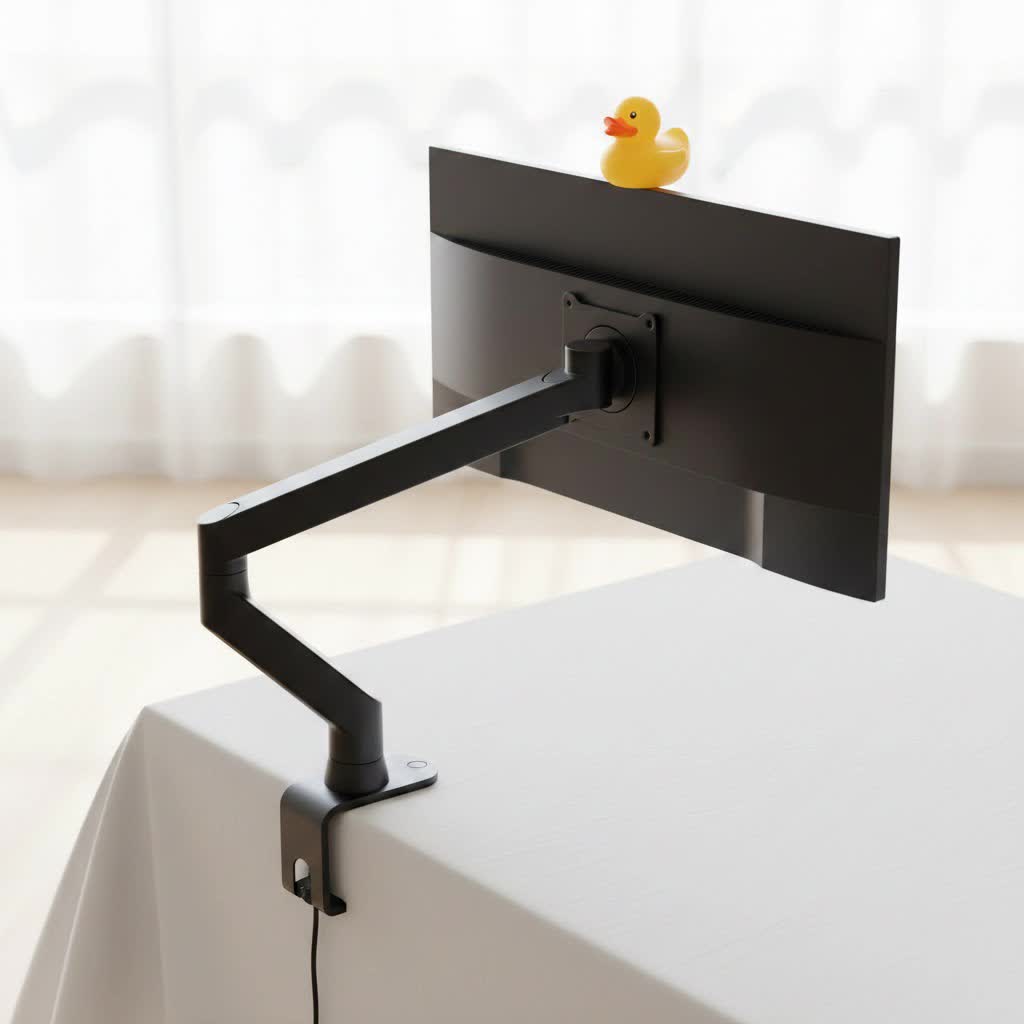
A monitor arm, often also compatible with laptops via a dedicated tray, is a mechanical mount designed to support and elevate your computer screens. Instead of relying on the bulky stands that come with most displays, these arms attach directly to your desk or wall, providing unparalleled flexibility in positioning.
You need a monitor arm because it fundamentally transforms your interaction with your technology. By allowing precise adjustment of height, depth, tilt, swivel, and rotation, an arm helps you achieve an ergonomically sound setup. This means less hunching, reducing the strain on your neck, back, and eyes, which are common complaints from prolonged computer use. Beyond health benefits, a monitor arm clears up significant desk space, making your workspace feel larger and more organized. For those using multiple screens, it enables seamless alignment and a cohesive visual environment, directly boosting productivity.
Popular Types of Monitor and Laptop Arms
Understanding the different types of monitor and laptop arms is the first step toward finding the best fit for your specific needs and workspace.
Desk Mount Monitor Arms
Desk mount arms are the most prevalent type, attaching directly to the edge or through a hole in your desk. They offer a versatile and often adjustable solution.
- Pros: Highly adaptable, frees up desk space, generally easy to install, available in single, dual, or multi-monitor configurations.
- Cons: Requires a compatible desk edge or grommet hole, may not be suitable for all desk materials or thicknesses.
- Types of Desk Mounts:
- C-Clamp Mounts: These are the most common, clamping directly to the back edge of your desk. They are generally easy to install and remove, making them ideal for those who might rearrange their setup.
- Grommet Mounts: These mounts are more permanent, requiring a hole (often pre-drilled or created by the user) through the desk surface. They offer a very stable and sleek solution, perfect for standing desks or when a secure, flush fit is desired.
- Freestanding Mounts: These arms sit on a heavy base on top of your desk. They are the easiest to set up as they require no clamping or drilling, offering maximum mobility. However, they occupy some desk space for their base.
|
Our Picks for the Best Monitor Arm in 2026
As an Amazon Associate I earn from qualifying purchases.
|
||
| Num | Product | Action |
|---|---|---|
| 1 | WALI Single Monitor Mount, Gas Spring Monitor Arm for 17-34 inch Screens, Adjustable Computer Monitors Stand up to 26.4lbs, with Clamp and Grommet Base, Mounting Holes 75 and 100mm (GSMP001N), Black |

|
| 2 | HUANUO Dual Monitor Stand, Fully Adjustable Monitor Desk Mount for 13–32″ Computer Screens, Full Motion VESA 75x75/100x100 with C-Clamp & Grommet Base, Each Arm Holds 4.4 to 19.8 lbs -Grey |
|
| 3 | HUANUO Dual Monitor Stand, Fully Adjustable Gaming Monitor Desk Mount for 13–32″ Computer Screens, Full Motion VESA 75x75/100x100 with C-Clamp & Grommet Base, Each Arm Holds 4.4 to 19.8 lbs |
|
| 4 | WALI Single Monitor Arm Mount Stand, Adjustable Gas Spring Arm Monitor Mount for Display up to 32 Inch,19.8lbs Capacity (GSMP001W), White |
|
| 5 | WALI Ultrawide Monitor Arm for 13 to 49 Inch Heavy Duty Curved Screens, Adjustable Gas Spring Single Monitor Desk Mount with 2 USB 3.0 Ports, Holds 33 lbs, 75x75/100x100 VESA, White (GSMU001-W) |
|
| 6 | HUANUO Single Monitor Mount, 13 to 32 Inch Monitor Arm, Adjustable Monitor Stand, Vesa Mount with Clamp and Grommet Base - Fits 4.4 to 19.8lbs LCD Computer Monitors |
|
| 7 | HUANUO Single Monitor Mount, 13 to 32 Inch Gas Spring Monitor Arm, Adjustable Stand, Vesa Mount with Clamp and Grommet Base - Fits 4.4 to 19.8lbs LCD Computer Monitors |
|
| 8 | ARES WING Single Monitor Wall Mount for 17-40 Inch Ultrawide Screens, Heavy Duty Monitor Arm Up to 26.4 lbs, Fully Adjustable Wall Mount, VESA 75x75/100x100 Compatible, Black |
|
| 9 | WALI Ultrawide Monitor Arm for 13 to 49 Inch Heavy Duty Curved Screens, Adjustable Gas Spring Single Monitor Desk Mount with 2 USB 3.0 Ports, Holds 33 lbs, 75x75/100x100 VESA, Silver (GSMU001) |
|
| 10 | WALI Ultrawide Monitor Arm for 17-49 Inch Heavy Duty Curved Screens, Holds up to 44 Lbs, Adjustable Gas Spring Single Monitor Desk Mount with C-Clamp, Grommet Base, 75/100mm VESA, (GSM001XL), Black |
|
Wall Mount Monitor Arms
Wall mount arms are secured directly to a wall, making them an excellent choice when desk space is severely limited or a permanent, robust installation is preferred.
- Pros: Maximizes desk space, provides a clean aesthetic, can handle heavier monitors.
- Cons: Permanent installation, less flexibility in repositioning the entire setup, requires drilling into walls.
- When to use: Ideal for fixed workstations, small desks, or when aiming for a minimalist, floating screen look.
Spring Arm (Mechanical Spring)
Spring arms utilize a mechanical spring mechanism to counterbalance the weight of your monitor or laptop, allowing for relatively smooth height adjustments.
- Pros: Generally durable, provides good adjustability for tilt and swivel, often a cost-effective option for fluid movement.
- Cons: Can be less fluid or require more force to adjust than gas spring arms, especially for fine-tuning.
- Suitability: Excellent for users who need to adjust their screen frequently but are mindful of their budget.
Gas Spring Arm (Gas Piston)
Gas spring arms use compressed gas pistons to provide effortless, precise, and dynamic adjustments to your screen’s position.
- Pros: Superior fluidity and ease of adjustment with a light touch, ideal for hot-desking or users who constantly change their screen’s height and angle, often includes integrated cable management and optional USB ports.
- Cons: Typically higher in price than mechanical spring arms, mechanism may degrade over many years (though high-quality ones are very durable).
- How it works: The gas piston counterbalances the monitor’s weight, making it feel almost weightless and allowing you to move it with minimal effort, then holding it securely in place.
Comparison Table: Choosing Your Ideal Monitor Arm
| Feature / Arm Type | Desk Mount (Clamp/Grommet) | Wall Mount | Spring Arm | Gas Spring Arm |
|---|---|---|---|---|
| Price Range | Moderate to High | Moderate | Moderate | High |
| Durability | High | Very High | High | High |
| Adjustability | Good to Excellent | Moderate (once set) | Good | Excellent |
| Max Load | Varies (check specs) | High | Varies (check specs) | Varies (check specs) |
| Aesthetics | Clean, modern | Very clean, minimalist | Modern | Sleek, integrated |
| Installation | Moderate (clamp easier) | Permanent, complex | Moderate | Moderate |
| Desk Space | Maximized | Fully maximized | Maximized | Maximized |
This table provides a snapshot comparison, but individual product specifications within each category can vary significantly. Consider your priorities—whether it’s budget, ultimate flexibility, or minimalist aesthetics—to narrow down your choice.
Buying Guide: How to Select the Right Monitor and Laptop Arm
Choosing the perfect monitor and laptop arm involves carefully assessing your needs and understanding the technical specifications.
Determine Your Needs
Start by evaluating your current setup and future aspirations for your workspace.
- Screen Size & Weight: This is paramount. Every monitor arm has a specified weight capacity and screen size range. Always check that your monitor’s weight and dimensions (especially for ultrawide screens) fall within these limits. For laptops, ensure the arm’s tray can accommodate its size.
- Number of Screens: Are you looking to mount a single monitor, a dual monitor setup, or even a triple screen array with your laptop? Many arms are designed specifically for multiple displays, often on a single base.
- Budget: Monitor arms range widely in price. Determine how much you’re willing to invest, balancing features and durability with your financial constraints. Higher-end models typically offer smoother adjustments and better build quality.
Check Technical Specifications
Delving into the specifics will ensure compatibility and optimal performance.
- Weight Capacity: Re-emphasizing this, never exceed the maximum weight capacity of the arm. This is crucial for both stability and the longevity of the arm’s mechanisms.
- Range of Adjustment: Look at the arm’s maximum and minimum height, as well as its ability to tilt (up/down), swivel (left/right), and rotate (portrait/landscape). Ensure these ranges allow you to achieve your ideal ergonomic positions.
- VESA Compatibility: VESA (Video Electronics Standards Association) is a universal standard for monitor mounting holes. Most monitors have either 75x75mm or 100x100mm VESA patterns. Check your monitor’s back panel or manual for its VESA size. All monitor arms specify their VESA compatibility.
- Desk Compatibility: For clamp mounts, measure your desk’s thickness to ensure the clamp can securely attach. For grommet mounts, check the required hole diameter. If your desk is particularly thin or thick, specialized clamps or reinforcement plates might be needed.
Material and Durability
The construction of your monitor arm significantly impacts its lifespan and performance.
- Materials: Prioritize arms made from robust materials like steel or aluminum. These materials provide superior strength and stability, especially for heavier monitors.
- Joints & Mechanisms: Inspect the quality of the joints and adjustment mechanisms. They should feel solid, allow smooth movement, and hold their position securely without sagging.
Brand and Reviews
Investing in a reputable brand often translates to better quality and customer support.
- Reputable Brands: Look for established ergonomic hardware manufacturers known for their quality.
- User Feedback: Read reviews from other users. Pay attention to comments regarding ease of installation, stability, long-term durability, and actual range of motion.
> “A well-chosen monitor and laptop arm is an investment in your health and efficiency. It’s not just about lifting a screen; it’s about crafting an environment where you can truly thrive.” – Dr. Elena Petrova, Lead Ergonomic Specialist at ErgoSolutions Lab.
Top Monitor and Laptop Arms for Your Workspace (2026)
While specific models evolve, the best monitor and laptop arms in 2026 continue to excel in key areas, offering solutions for every need.
- Best Overall (Versatile & Balanced): Look for arms that offer a robust build, fluid gas spring adjustments, and wide VESA compatibility, typically supporting monitors up to 32 inches and a good weight range (e.g., 20-30 lbs). These often come with effective cable management and support both clamp and grommet mounting.
- Best Budget-Friendly: Affordable options exist that still provide essential height and tilt adjustments. These might use a mechanical spring or a more basic gas spring mechanism. Focus on VESA compatibility and weight capacity over advanced features for cost-effectiveness.
- Best for Dual Monitors: Dedicated dual-arm setups are crucial for side-by-side efficiency. The best models provide independent adjustment for each screen, allowing you to align them perfectly and even rotate one to portrait mode for coding or document review.
- Best for Heavy/Ultrawide Monitors: Specialized heavy-duty arms are designed to support larger, heavier displays (up to 49 inches and 40+ lbs). These require extra robust construction and a powerful gas spring to ensure stability and smooth movement for expansive screens.
- Best for Laptop Integration: Solutions featuring a dedicated, adjustable laptop tray alongside a monitor arm are excellent for creating a seamless dual-screen setup. These trays often include ventilation and secure clips, positioning your laptop screen ergonomically next to your main monitor.
Installation and Optimal Usage of Your Monitor Arm
Proper installation and adjustment are critical to unlock the full potential of your monitor and laptop arm.
- Installation Steps (General):
- Mount the Base: Secure the clamp or grommet mount to your desk, or the wall mount to a stud.
- Attach the Arm: Assemble the arm sections onto the base, ensuring all connections are tight.
- Attach VESA Plate to Monitor: Fasten the VESA plate to the back of your monitor (and the laptop tray to your laptop).
- Mount Screen(s) to Arm: Slide or clip your monitor (and laptop tray) onto the arm’s VESA head.
- Adjust Tension: For gas spring arms, use the provided tool to adjust the tension, ensuring the arm can hold your screen’s weight steadily at any height.
- Ergonomic Setup:
- Eye-Level Screen: Position the top of your monitor screen at or slightly below eye level, so you’re looking down slightly at the center.
- Arm’s Length Distance: Maintain a comfortable viewing distance, typically an arm’s length away.
- Neutral Posture: Ensure your neck is neutral, shoulders relaxed, and wrists straight. The arm should allow you to achieve this naturally.
- Tips for Efficiency: Utilize the full range of motion. Rotate your monitor to portrait mode for long documents or coding. Align multiple monitors seamlessly for an expanded workspace. Good cable management routes cables along the arm for a cleaner look.
Maintenance and Care for Your Monitor Arm
A little maintenance can go a long way in extending the life of your monitor arm.
- Cleaning: Regularly dust and wipe down the arm with a soft, damp cloth. Avoid harsh chemicals that could damage finishes.
- Longevity Tips:
- Avoid Overtightening: While secure, don’t overtighten adjustment points beyond what’s necessary, as this can wear down threads or stress components.
- Periodic Checks: Periodically check all mounting points and joints for tightness. Over time, slight loosening can occur, especially with frequent adjustments.
- Lubrication: If any mechanical joints become stiff over many years, a small amount of silicone-based lubricant can help, but generally, gas springs and high-quality mechanical arms require little to no internal lubrication.
Conclusion
Investing in a high-quality monitor and laptop arm is one of the smartest upgrades you can make to your workspace. It’s a foundational step towards enhanced ergonomics, helping to alleviate discomfort and promote healthier working habits. Beyond physical well-being, these versatile tools liberate valuable desk space and can significantly boost your productivity, especially in multi-screen environments. By carefully considering your individual needs—from screen size and weight to desired adjustability and budget—you can find the perfect arm to transform your desk into an efficient, clutter-free, and ergonomically sound command center. Ready to elevate your work experience? Which feature will you prioritize in your next monitor arm?
Frequently Asked Questions
What is VESA compatibility?
VESA compatibility refers to a standardized pattern of screw holes on the back of monitors and TVs, allowing them to be mounted. Common VESA sizes are 75x75mm and 100x100mm. Ensuring your monitor and arm share the same VESA pattern is crucial for proper mounting.
Can a monitor arm damage my desk?
A properly installed monitor arm, especially a clamp mount, should not damage your desk if it’s within the recommended thickness and material guidelines. Using a reinforcement plate for thinner or more fragile desks can further distribute pressure and prevent potential damage.
How do I know if my monitor is compatible with an arm?
Check for VESA mounting holes on the back of your monitor. Most monitors have them. Also, verify your monitor’s weight and screen size, ensuring they fall within the arm’s specified weight capacity and screen size range for safe and stable operation.
Are gas spring arms worth the extra cost?
For many users, yes. Gas spring arms offer significantly smoother, more effortless, and precise height adjustments compared to mechanical spring or post arms. If you frequently adjust your screen’s position or are looking for a premium, ergonomic experience, the added cost is often justified by the improved usability.
Can I use a monitor arm with a standing desk?
Absolutely, monitor arms are ideal companions for standing desks. They allow your screens to move seamlessly up and down with your desk, maintaining ergonomic eye level whether you’re sitting or standing, thereby enhancing the benefits of an adjustable workstation.
How many monitors can one arm support?
Monitor arms come in various configurations: single, dual, and even multi-monitor setups (e.g., three or four screens). The number of monitors supported depends on the specific product design. Always check the product specifications for the maximum number of screens and their individual weight limits.
