Do you find yourself hunching over your monitor, battling a cluttered desk, or constantly adjusting your screen for a comfortable view? If so, a VESA monitor arm could be the transformative upgrade your workspace desperately needs. These versatile devices are designed to revolutionize how you interact with your display, promoting better posture, freeing up valuable desk real estate, and enhancing overall productivity.
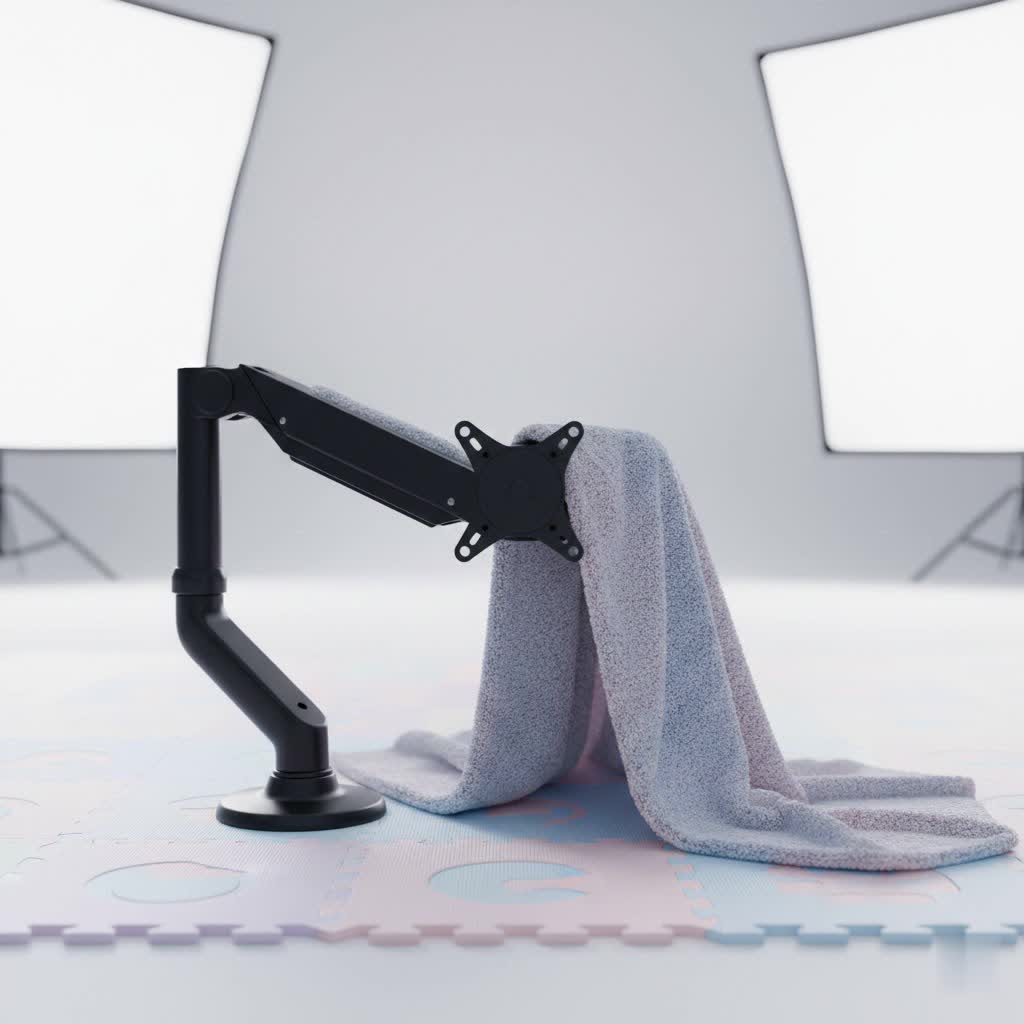
What is a Monitor Arm? Why Do You Need It?
A monitor arm is an ergonomic accessory that attaches to your desk, wall, or ceiling, allowing you to lift your monitor off its original stand and freely adjust its height, depth, and angle. Far more dynamic than a static stand, it acts as a flexible limb for your display, enabling effortless repositioning to suit various tasks and postures throughout your day.
The importance of integrating a monitor arm into your setup cannot be overstated. From an ergonomic standpoint, it’s critical for finding your most comfortable and healthy working posture. By allowing you to position your screen precisely at eye level and an arm’s length away, a monitor arm significantly reduces strain on your neck, shoulders, and eyes, which are common culprits behind discomfort and fatigue during long work sessions. Beyond personal comfort, monitor arms declutter your desk by removing the monitor’s bulky base, creating a vast, open space beneath for writing, peripherals, or simply a cleaner aesthetic. They also come with integrated cable management systems, keeping unsightly cords organized and out of the way. For those who frequently switch between sitting and standing, a monitor arm is an indispensable tool, adapting seamlessly to each position and boosting productivity and flexibility in your workflow.
Popular Types of Monitor Arms on the Market
The market offers a variety of monitor arm types, each with unique advantages tailored to different needs and setups. Understanding these distinctions is key to choosing the perfect fit for your workstation.
Desk Mount Monitor Arm (Clamp/Grommet)
Desk mount monitor arms are the most prevalent type, attaching directly to your desk. They typically come with two main installation options:
- C-Clamp (Desk Clamp): This method involves clamping the arm to the edge of your desk. It’s generally tool-free or requires minimal tools, making it easy to install and remove without permanent desk modification. This is ideal for renters or those who frequently rearrange their space. However, it requires an unobstructed desk edge and sufficient desk thickness for a secure grip.
- Grommet Mount: This option utilizes a pre-existing hole in your desk (a grommet hole) or requires drilling one. The arm’s base passes through this hole and secures from underneath the desk, offering a very stable and sleek installation that uses less desk edge space than a clamp. Grommet mounts are a more permanent solution.
|
Our Picks for the Best Monitor Arm in 2026
As an Amazon Associate I earn from qualifying purchases.
|
||
| Num | Product | Action |
|---|---|---|
| 1 | WALI Ultrawide Monitor Arm for 17-49 Inch Heavy Duty Curved Screens, Holds up to 44 Lbs, Adjustable Gas Spring Single Monitor Desk Mount with C-Clamp, Grommet Base, 75/100mm VESA, (GSM001XL), Black |

|
| 2 | ARES WING Single Monitor Wall Mount for 17-40 Inch Ultrawide Screens, Heavy Duty Monitor Arm Up to 26.4 lbs, Fully Adjustable Wall Mount, VESA 75x75/100x100 Compatible, Black |
|
| 3 | HUANUO Dual Monitor Stand, Fully Adjustable Monitor Desk Mount for 13–32″ Computer Screens, Full Motion VESA 75x75/100x100 with C-Clamp & Grommet Base, Each Arm Holds 4.4 to 19.8 lbs -Grey |
|
| 4 | WALI Single Monitor Mount, Gas Spring Monitor Arm for 17-34 inch Screens, Adjustable Computer Monitors Stand up to 26.4lbs, with Clamp and Grommet Base, Mounting Holes 75 and 100mm (GSMP001N), Black |
|
| 5 | WALI Single Monitor Arm Mount Stand, Adjustable Gas Spring Arm Monitor Mount for Display up to 32 Inch,19.8lbs Capacity (GSMP001W), White |
|
| 6 | HUANUO Single Monitor Mount, 13 to 32 Inch Monitor Arm, Adjustable Monitor Stand, Vesa Mount with Clamp and Grommet Base - Fits 4.4 to 19.8lbs LCD Computer Monitors |
|
| 7 | HUANUO Single Monitor Mount, 13 to 32 Inch Gas Spring Monitor Arm, Adjustable Stand, Vesa Mount with Clamp and Grommet Base - Fits 4.4 to 19.8lbs LCD Computer Monitors |
|
| 8 | HUANUO Dual Monitor Stand, Fully Adjustable Gaming Monitor Desk Mount for 13–32″ Computer Screens, Full Motion VESA 75x75/100x100 with C-Clamp & Grommet Base, Each Arm Holds 4.4 to 19.8 lbs |
|
| 9 | WALI Ultrawide Monitor Arm for 13 to 49 Inch Heavy Duty Curved Screens, Adjustable Gas Spring Single Monitor Desk Mount with 2 USB 3.0 Ports, Holds 33 lbs, 75x75/100x100 VESA, Silver (GSMU001) |
|
| 10 | WALI Ultrawide Monitor Arm for 13 to 49 Inch Heavy Duty Curved Screens, Adjustable Gas Spring Single Monitor Desk Mount with 2 USB 3.0 Ports, Holds 33 lbs, 75x75/100x100 VESA, White (GSMU001-W) |
|
Desk mount arms are highly versatile, supporting single, dual, or even multi-monitor setups. They offer extensive adjustability in height, tilt, swivel, and rotation, making them suitable for most office and gaming environments.
Wall Mount Monitor Arm
Wall mount monitor arms are designed to attach directly to a wall behind your desk.
- Advantages: They free up the entire desk surface, offering the cleanest aesthetic and maximum desk space. They are also highly stable once installed.
- Disadvantages: Installation is more permanent, often requiring drilling into walls, and repositioning the entire setup is difficult. They are best suited for fixed workstations where the desk is consistently against a wall.
Spring Arm
Spring arms, also known as mechanical arms, utilize a counterbalance spring mechanism to hold your monitor’s weight.
- Advantages: They are generally more affordable than gas spring models and provide reliable support.
- Disadvantages: Adjustments can sometimes be less fluid, often requiring more manual effort or tools (like an Allen wrench) to fine-tune the tension and height. Once set, they tend to stay in place, but on-the-fly adjustments might not be as effortless.
Gas Spring Arm
Gas spring monitor arms feature a gas cylinder that provides fluid, effortless adjustments.
- Advantages: They offer superior ease of adjustment, allowing users to reposition their monitor with a single touch or fingertip pressure. This is ideal for those who frequently change their monitor’s position, such as when switching between sitting and standing. They maintain the monitor’s position smoothly once released.
- Disadvantages: They are typically more expensive than mechanical arms. Over time, gas springs can lose some tension, requiring occasional re-adjustment, though many models come with built-in gauges for easy recalibration.
Comparison Table of Monitor Arm Types
| Feature / Type | Desk Clamp (C-Clamp) | Grommet Mount | Wall Mount | Spring Arm | Gas Spring Arm |
|---|---|---|---|---|---|
| Price | Low to Mid | Low to Mid | Mid to High | Low to Mid | Mid to High |
| Durability | Good, depends on clamp quality | Excellent, very stable | Excellent, very stable | Good | Excellent |
| Adjustability | High (H/T/S/R) | High (H/T/S/R) | High (H/T/S/R) | Good (H/T/S/R, often needs tools) | Excellent (H/T/S/R, effortless) |
| Max Load | Varies by model, generally good | Varies by model, generally good | Varies by model, often heavy-duty | Varies by model | Varies by model, often heavy-duty |
| Aesthetics | Clean, minimal footprint on desk | Very clean, virtually invisible base | Extremely clean, maximum desk space | Varies by design, can be sleek | Very sleek, often premium designs |
| Installation | Easy, non-permanent | Moderate, semi-permanent (drilling) | Permanent (drilling) | Straightforward | Straightforward |
| Desk Compatibility | Requires open desk edge, specific thickness | Requires grommet hole or drilling | N/A (wall-mounted) | Compatible with desk mount types | Compatible with desk mount types |
Guide to Choosing the Right Monitor Arm (Buying Guide)
Selecting the perfect monitor arm involves careful consideration of several factors to ensure it meets your specific requirements and enhances your workspace.
Determine Your Usage Needs
Before diving into specifications, assess your personal setup:
- Monitor Size and Weight: Crucially, check your monitor’s size and weight without its original stand. Most arms have maximum size recommendations and strict weight limits. Exceeding these can lead to instability or arm failure. For larger monitors (32 inches+) or ultrawides (49 inches), you’ll often need a heavy-duty arm.
- Number of Monitors: Do you use one, two, or even three displays? Single, dual, and multi-monitor arms are available, designed to optimize space and adjustability for your specific setup.
- Budget: Monitor arms range from budget-friendly options under $50 to premium models exceeding $300. Determine how much you’re willing to invest, keeping in mind that higher price often translates to better build quality, smoother adjustments, and longer warranties.
Check Technical Specifications
Thoroughly review the arm’s technical details to ensure compatibility and functionality:
- Maximum Load Capacity: This is paramount. Always ensure the arm can safely support the weight of your monitor(s).
- Adjustment Range: Look for arms that offer extensive height adjustment (to reach eye level), tilt (+/- 90 degrees for glare reduction), swivel (side-to-side movement for sharing screens), and rotation (360 degrees for switching between landscape and portrait orientations). Effortless, tool-free adjustment is a key feature of higher-end models.
- VESA Compatibility: VESA (Video Electronics Standards Association) defines standard mounting hole patterns on the back of monitors. The most common patterns are 75x75mm and 100x100mm. Almost all modern monitors and monitor arms adhere to these standards. If your monitor lacks VESA holes, a VESA adapter bracket can be purchased separately.
- Desk Compatibility (for Desk Mounts):
- Thickness: Verify your desk’s thickness falls within the clamp or grommet mount’s specified range.
- Obstructions: Ensure there are no beams, drawers, or other obstructions that would prevent the clamp from securing properly or the grommet mount from passing through.
- Desk Material: For softer wood or glass desks, be mindful of potential damage from over-tightening clamps; consider protective pads.
Material and Durability
The longevity and stability of a monitor arm depend heavily on its construction.
- Materials: Look for arms made from robust materials like steel or aluminum. These offer superior strength and durability compared to arms with extensive plastic components.
- Joints and Mechanisms: Inspect the quality of the joints and adjustment mechanisms. Gas spring arms often provide the smoothest, most precise movements, while high-quality mechanical arms can also be very stable.
Brand and Reviews
Reputable brands often offer better quality, reliability, and customer support. Brands like Ergotron, Huanuo, VIVO, and MOUNTUP are frequently reviewed positively in the market. Reading user reviews can provide valuable insights into real-world performance, ease of installation, and potential drawbacks not listed in product specifications.
Top Monitor Arms of 2026
Based on current trends and expert reviews, here are some of the best monitor arms available in 2026, catering to various needs and budgets:
-
Ergotron LX Pro (Best Overall Single Monitor Arm): Praised for its robust build quality, effortless adjustability, and sleek design. It supports monitors up to 34 inches and 22 pounds, featuring smooth gas spring operation and excellent cable management. While premium-priced, its durability and 10-year warranty make it a long-term investment.
-
MSI MAG MT201 (Best Budget Monitor Arm): An excellent choice for those on a tighter budget, offering support for large screens up to 49 inches and 44 pounds. It uses a spring tension system. While setup may be a bit more involved than premium models, its sturdy performance and quick-release VESA mount offer great value, often found under $100.
-
Ergotron HX (Best Heavy-Duty Monitor Arm): Designed for serious weight, this arm can handle monitors up to 42 pounds and screens up to 49 inches, including super-ultrawides. It boasts a professional look, minimal plastic, and extremely smooth operation, making it ideal for large, heavy displays where stability is paramount.
-
HUANUO Dual Monitor Stand (Best Value Dual Monitor Arm): This popular option provides a sturdy and adjustable solution for two monitors, typically ranging from 13 to 27 inches (each arm holding 4.4 to 14.3 lbs). It offers C-clamp and grommet mounting, gas spring adjustment, and integrated cable management, proving to be a solid performer for most dual-screen setups at an accessible price.
How to Install and Use a Monitor Arm
Installing and properly using your monitor arm is crucial to maximizing its ergonomic benefits and ensuring stability.
Step-by-Step Installation (General Guide for Desk Mount)
- Unpack and Identify Parts: Lay out all components and familiarize yourself with the instruction manual. Most arms include the main arm, a desk clamp or grommet base, VESA plate, and hardware.
- Attach Mount to Desk:
- For C-Clamp: Position the clamp at the desired edge of your desk, ensuring it’s free of obstructions. Tighten the screw mechanism until the clamp is securely fastened, but do not overtighten, especially on softer surfaces.
- For Grommet Mount: Insert the pole or base through the grommet hole. Secure it from beneath the desk using the provided washer and nut, tightening firmly.
- Assemble Arm Sections: Follow the instructions to connect the arm sections to the base. This often involves sliding pieces together and securing them with screws or pins.
- Attach VESA Plate to Monitor: Remove your monitor’s original stand. Locate the square VESA mounting holes on the back of your monitor (usually 75x75mm or 100x100mm). Attach the VESA plate from the monitor arm to these holes using the provided screws.
- Mount Monitor to Arm: Carefully lift your monitor and slide or clip the VESA plate onto the end of the monitor arm. Secure it according to the arm’s mechanism (e.g., tightening a thumbscrew, locking a clip).
- Adjust Tension: For gas spring arms, you’ll need to adjust the tension to match your monitor’s weight. Use the included Allen wrench to turn the tension screw (often marked with “+” and “-“) until the monitor stays in place at any height without drifting up or down.
- Route Cables: Utilize the arm’s integrated cable management channels or clips to route your power and video cables along the arm for a clean, organized look. Ensure enough slack for full range of motion.
Optimal Use for Health
- Eye Level: Position the top of your monitor screen at or slightly below eye level. This prevents neck strain from looking up or down.
- Arm’s Length: Sit at an arm’s length from your monitor. This helps reduce eye strain.
- Tilt and Swivel: Adjust the tilt to minimize glare from lights or windows. Use the swivel to easily share your screen with others or adjust for different viewing angles.
- Regular Movement: If you have an adjustable-height desk, use the monitor arm to seamlessly transition between sitting and standing, encouraging more movement throughout your day.
Maintenance and Cleaning of Your Monitor Arm
A VESA monitor arm is a durable piece of equipment, but proper care and maintenance can extend its lifespan and ensure smooth operation for years to come.
- Regular Cleaning: Dust can accumulate on the arm and its joints. Use a soft, damp cloth to wipe down the surfaces. Avoid harsh chemical cleaners, as they might damage finishes or lubricated parts.
- Check Tension Periodically: For gas spring arms, the tension may need minor adjustments over time, especially if you change monitors or notice the arm slowly drifting. Refer to your arm’s manual for instructions on how to re-tension the gas spring with the provided Allen wrench.
- Inspect Connections: Periodically check all screws, clamps, and connections to ensure they remain tight and secure. Loose connections can lead to instability or wobble.
- Cable Management Review: Ensure cables routed through the arm are not pinched or strained, which can damage the cables or hinder the arm’s movement. Re-route if necessary.
By following these simple maintenance tips, your monitor arm will continue to provide ergonomic support and a tidy workspace for a long time.
Conclusion
A VESA monitor arm is an invaluable investment for anyone seeking to optimize their workspace, improve ergonomics, and boost productivity. By understanding the different types, carefully considering your needs against technical specifications, and selecting a quality product from a reputable brand, you can transform your desk into a healthier, more efficient environment. The ability to precisely position your screen at the ideal height, distance, and angle alleviates physical strain, while freeing up desk space and managing cables creates a cleaner, more focused work zone. Ultimately, a monitor arm empowers you to work smarter, not harder.
Ready to reclaim your desk and improve your daily comfort? What feature are you most excited to gain from a monitor arm?
Frequently Asked Questions
What factors should be considered when choosing a monitor arm for an ultrawide display?
When selecting a monitor arm for an ultrawide display, prioritize high weight capacity and broad VESA compatibility (some larger monitors might use 200x200mm). Crucially, ensure the arm offers an extensive range of motion, including sufficient reach and rotation, to accommodate the monitor’s unique dimensions and allow for optimal viewing angles.
Which monitor arms offer the best value for those on a budget?
For budget-conscious buyers, options like the MSI MAG MT201 or the Huanuo HNSS6 Single Monitor Arm provide excellent value. They support common monitor sizes and weights, offer good adjustability, and often include features like quick-release VESA mounts, all at a competitive price point, typically under $100.
How do premium monitor arms like those from Ergotron compare to other leading brands?
Premium brands like Ergotron are renowned for superior durability, fluid and tool-free adjustability, and advanced features such as robust cable management and long warranties (often 10 years). While they come at a higher price, their exceptional build quality, smooth operation, and long-term reliability often justify the investment compared to mid-range alternatives.
What are the benefits of using a dual monitor arm setup?
A dual monitor arm setup significantly boosts productivity by expanding your screen real estate and reducing desktop clutter. It enables independent adjustment of two monitors to your precise ergonomic preferences, minimizing neck and eye strain. This configuration allows for side-by-side work, portrait orientation for coding, or stacking, optimizing workflow efficiency.
Do all monitors support VESA monitor arms?
Nearly all modern monitors are VESA compliant, featuring standard 75x75mm or 100x100mm mounting holes on their rear. To confirm compatibility, check your monitor’s specifications or inspect the back for a square four-hole pattern. If your monitor lacks VESA holes, universal adapter brackets are available to allow mounting.
