In today’s fast-paced digital world, optimizing your workspace is paramount for both productivity and well-being. A crucial, yet often overlooked, component in achieving an ergonomic setup is the monitor arm. As someone who has navigated the intricacies of monitor arms for over a decade, I understand the profound impact the right holder can have on your daily work life. This comprehensive guide will equip you with the knowledge to choose, install, and utilize the perfect monitor arm, transforming your desk into a healthier, more efficient environment.
What is a Monitor Arm and Why Do You Need One?
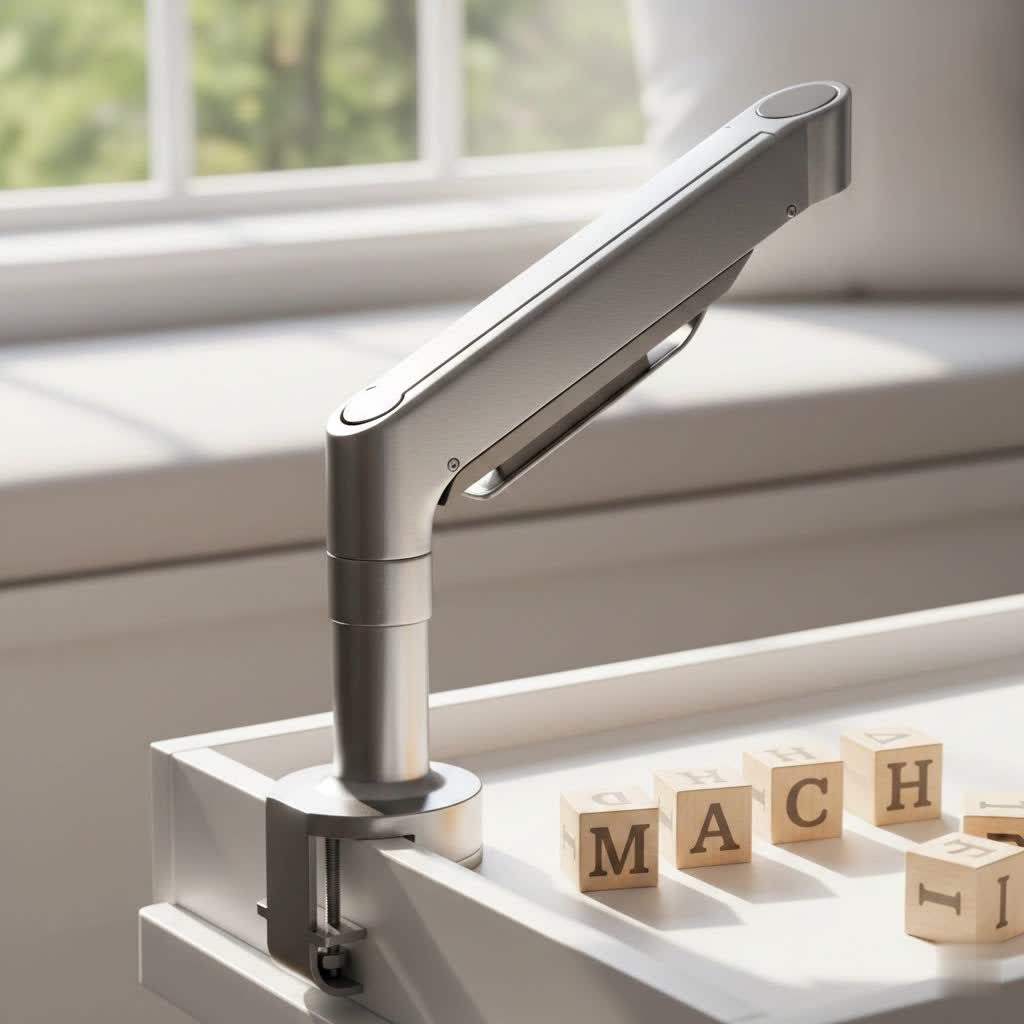
A monitor arm, also known as a monitor holder arm or monitor mount, is a mechanical support system designed to lift your computer screen off the desk surface. It provides unparalleled flexibility in positioning your monitor, allowing you to adjust its height, depth, tilt, swivel, and rotation with ease. Beyond simply holding your screen, a monitor arm is an essential ergonomic tool that can dramatically improve your posture, reduce physical strain, and enhance your overall workspace. By enabling optimal screen placement, it helps alleviate common issues like neck and back pain, eye strain, and discomfort often associated with prolonged computer use. Furthermore, it frees up valuable desk real estate, contributing to a cleaner, more organized, and aesthetically pleasing work area, especially beneficial for those using multiple screens.
Popular Types of Monitor Arms
Monitor arms come in various designs, each suited to different needs and desk configurations. Understanding these types is the first step in finding your ideal solution.
Desk Mount Monitor Arms
Desk mount monitor arms are the most common type, attaching directly to your desk. They offer versatility and are generally easy to install.
- Clamp Mount: These arms secure to the edge of your desk using a C-clamp mechanism.
- Pros: Easy installation, no drilling required, portable for moving between desks.
- Cons: Requires a desk edge for clamping, may not be suitable for very thick or very thin desks, or desks with lips/overhangs.
- Grommet Mount: For desks with existing cable holes or those you’re willing to drill, a grommet mount passes through the hole and secures underneath.
- Pros: Extremely stable, clean look, ideal for integrating into desk cable management.
- Cons: Requires a pre-drilled hole or drilling, less portable.
- Freestanding Mount: These arms sit directly on the desk surface with a heavy, stable base.
- Pros: No desk attachment needed, easy to move, great for glass desks or temporary setups.
- Cons: Occupies some desk space, generally less stable than clamped or grommet mounts, may have limited reach or height compared to other types.
|
Our Picks for the Best Monitor Arm in 2026
As an Amazon Associate I earn from qualifying purchases.
|
||
| Num | Product | Action |
|---|---|---|
| 1 | HUANUO Single Monitor Mount, 13 to 32 Inch Gas Spring Monitor Arm, Adjustable Stand, Vesa Mount with Clamp and Grommet Base - Fits 4.4 to 19.8lbs LCD Computer Monitors |

|
| 2 | WALI Single Monitor Arm Mount Stand, Adjustable Gas Spring Arm Monitor Mount for Display up to 32 Inch,19.8lbs Capacity (GSMP001W), White |
|
| 3 | WALI Ultrawide Monitor Arm for 13 to 49 Inch Heavy Duty Curved Screens, Adjustable Gas Spring Single Monitor Desk Mount with 2 USB 3.0 Ports, Holds 33 lbs, 75x75/100x100 VESA, White (GSMU001-W) |
|
| 4 | HUANUO Single Monitor Mount, 13 to 32 Inch Monitor Arm, Adjustable Monitor Stand, Vesa Mount with Clamp and Grommet Base - Fits 4.4 to 19.8lbs LCD Computer Monitors |
|
| 5 | WALI Single Monitor Mount, Gas Spring Monitor Arm for 17-34 inch Screens, Adjustable Computer Monitors Stand up to 26.4lbs, with Clamp and Grommet Base, Mounting Holes 75 and 100mm (GSMP001N), Black |
|
| 6 | ARES WING Single Monitor Wall Mount for 17-40 Inch Ultrawide Screens, Heavy Duty Monitor Arm Up to 26.4 lbs, Fully Adjustable Wall Mount, VESA 75x75/100x100 Compatible, Black |
|
| 7 | WALI Ultrawide Monitor Arm for 13 to 49 Inch Heavy Duty Curved Screens, Adjustable Gas Spring Single Monitor Desk Mount with 2 USB 3.0 Ports, Holds 33 lbs, 75x75/100x100 VESA, Silver (GSMU001) |
|
| 8 | HUANUO Dual Monitor Stand, Fully Adjustable Gaming Monitor Desk Mount for 13–32″ Computer Screens, Full Motion VESA 75x75/100x100 with C-Clamp & Grommet Base, Each Arm Holds 4.4 to 19.8 lbs |
|
| 9 | HUANUO Dual Monitor Stand, Fully Adjustable Monitor Desk Mount for 13–32″ Computer Screens, Full Motion VESA 75x75/100x100 with C-Clamp & Grommet Base, Each Arm Holds 4.4 to 19.8 lbs -Grey |
|
| 10 | WALI Ultrawide Monitor Arm for 17-49 Inch Heavy Duty Curved Screens, Holds up to 44 Lbs, Adjustable Gas Spring Single Monitor Desk Mount with C-Clamp, Grommet Base, 75/100mm VESA, (GSM001XL), Black |
|
Wall Mount Monitor Arms
Wall mount monitor arms attach directly to a wall, suspending your monitor above your desk.
- Pros: Maximizes desk space, offers a very clean aesthetic, provides excellent stability.
- Cons: Permanent installation, requires drilling into a wall stud, less flexible if you rearrange your desk frequently.
- When to Use: Ideal for fixed workstations, standing desks without sufficient desk edge for clamps, or when a minimalist look is desired.
Mechanical Spring Monitor Arms
Mechanical spring arms use a system of metal springs to counterbalance the weight of your monitor.
- Pros: Generally more affordable, durable, and offer precise tension adjustment.
- Cons: Can be less fluid in movement than gas spring arms, may require more effort to adjust.
- Suitable For: Users who prefer a more budget-friendly option and don’t need constant, effortless adjustments.
Gas Spring Monitor Arms
Gas spring monitor arms utilize a pressurized gas cylinder to support the monitor’s weight, providing smooth, effortless adjustments.
- Pros: Exceptionally smooth and easy height, tilt, and swivel adjustments; superior flexibility and range of motion; often include integrated cable management.
- Cons: Typically more expensive than mechanical spring arms, the gas cylinder may degrade over many years.
- Adjustment: These arms allow for single-touch adjustments, making it incredibly simple to reposition your screen for sitting, standing, or collaborating.
Monitor Arm Type Comparison Table
Choosing the right monitor arm involves weighing various factors. Here’s a comparative overview of common types to guide your decision:
| Feature | Clamp Mount | Grommet Mount | Freestanding Mount | Wall Mount | Mechanical Spring | Gas Spring |
|---|---|---|---|---|---|---|
| Price Range | Mid | Mid | Low to Mid | Mid to High | Low to Mid | Mid to High |
| Desk Space | Excellent (minimal) | Excellent (minimal) | Moderate | Maximized | Good | Excellent |
| Stability | High | Very High | Moderate | Very High | Good | Excellent |
| Installation | Easy | Moderate (drilling) | Very Easy | Complex (drilling) | Varies by mount type | Varies by mount type |
| Adjustability | Good | Good | Moderate | Moderate to Good | Good | Excellent |
| Aesthetics | Clean | Very Clean | Can look bulky | Very Clean | Functional | Sleek, modern |
| Portability | High | Low | Very High | Very Low | High | High |
How to Choose the Right Monitor Arm (Buying Guide)
Selecting the perfect monitor arm requires careful consideration of your specific needs and technical requirements. Here’s a comprehensive guide to help you make an informed decision:
Assess Your Usage Needs
Start by understanding your current setup and future aspirations.
- Monitor Size and Weight: Crucially, check the diagonal screen size and weight of your monitor(s). Every monitor arm has a maximum weight and size capacity. Exceeding these limits can lead to sagging or instability, compromising safety and ergonomics. For heavier or ultrawide monitors, a heavy-duty monitor arm is essential.
- Number of Monitors: Do you use a single monitor, or are you planning a dual, triple, or even quad-monitor setup? There are specialized monitor arms designed to support multiple screens efficiently, saving space and optimizing viewing angles.
- Budget: Monitor arms vary widely in price. Determine how much you’re willing to invest, balancing features and durability with your financial limits. Quality monitor arms are a long-term investment in your health and productivity.
Check Technical Specifications
Once you know your needs, delve into the technical details.
- VESA Compatibility: VESA (Video Electronics Standards Association) defines standard mounting hole patterns on the back of monitors. Most monitor arms support common VESA patterns like 75x75mm or 100x100mm. Always verify your monitor’s VESA pattern before purchase. Some monitors, like older iMacs, may require special adapters.
- Maximum Load Capacity: This refers to the maximum weight the arm can safely hold. Ensure it comfortably exceeds the weight of your monitor(s).
- Adjustment Range: Look for an arm that offers sufficient height adjustment, tilt (+/- degrees), swivel (side-to-side), and rotation (landscape to portrait). Consider if you need a specific arm length, especially for deep desks or L-shaped configurations. An arm with stop features can prevent it from hitting a wall.
- Desk Compatibility: For clamp mounts, check your desk thickness and edge shape. For grommet mounts, ensure your desk has an appropriate hole. Glass desks are generally not suitable for clamp mounts.
Material and Durability
The materials used directly impact the monitor arm’s longevity and stability.
- Materials: High-quality monitor arms are typically constructed from robust materials like steel or aluminum. These materials provide strength and ensure your monitor remains securely in place.
- Joint Mechanisms: Examine the quality of the joints and adjustment mechanisms. They should feel solid and allow for smooth movement without wobbling. Well-designed joints are critical for maintaining desired positions over time.
Brand and Reviews
Research reputable brands known for quality and ergonomic design.
- Trusted Brands: Brands like Ergotron, Huanuo, WALI, and Amazon Basics (for budget-friendly options) are frequently recommended.
- User Reviews: Read reviews from other users to gauge real-world performance, ease of installation, and long-term satisfaction. Pay attention to comments regarding stability, ease of adjustment, and customer support.
> “Investing in a good monitor arm is like investing in your own health. The flexibility it offers in achieving the perfect ergonomic setup can prevent years of discomfort and boost your focus significantly.” – Review Munki Admin, Ergonomics Specialist
Top 5 Monitor Arms of 2026
The market for monitor arms is dynamic, with new innovations constantly emerging. Based on current trends and expert evaluations in 2026, here are some top contenders that cater to various needs:
- Ergotron LX Premium Monitor Arm: Often hailed as the gold standard, the Ergotron LX series offers exceptional build quality, fluid motion, and robust support for single monitors up to 34 inches. Its thoughtful design ensures easy installation and long-term reliability, backed by a generous warranty. There’s also an LX Dual Monitor Arm for multi-screen setups.
- HUANUO Dual Monitor Stand: A highly popular choice for those needing a dual-monitor setup, the HUANUO stand provides excellent stability and adjustability. It typically supports two monitors ranging from 13 to 32 inches, with independent arm adjustments for perfect alignment. Many models feature integrated cable management for a tidy workspace.
- WALI Gas Spring Mount: For users with ultrawide or heavier screens, the WALI Gas Spring Mount is an excellent option. It’s designed to handle substantial weight and offers expansive reach and smooth tilt/swivel capabilities, ensuring even large displays are easily positioned.
- MOUNTUP Single Monitor Desk Mount: This monitor arm strikes a great balance between affordability and functionality for single-screen users. It offers a full range of motion, easy installation with both clamp and grommet options, and good weight capacity for most standard monitors.
- Amazon Basics Gas Spring Monitor Arm: An outstanding budget-friendly option, the Amazon Basics arm provides flexible adjustability for single monitors (typically 15-27 inches). It’s a solid entry-level choice for improving ergonomics without a significant investment, featuring a reliable gas spring for smooth movement.
Each of these monitor arms excels in different areas, from premium build and extensive adjustability to excellent value and specific monitor support, ensuring there’s a solution for nearly every user.
Monitor Arm Installation and Usage Guide
Installing a monitor arm might seem daunting, but it’s a straightforward process once you understand the steps.
- Gather Your Tools: Most monitor arms come with all necessary tools (Allen wrenches, screws). You might need a screwdriver or a drill if opting for a grommet or wall mount.
- Check VESA Compatibility: Ensure your monitor has the correct VESA mounting holes (75x75mm or 100x100mm are most common).
- Choose Mounting Option: Decide between a desk clamp, grommet mount, or wall mount based on your desk type and preference.
- For Desk Clamp: Position the clamp at the desired location on your desk edge. Tighten it securely, ensuring it’s firm but not overtightened to avoid desk damage. Use protective pads if provided.
- For Grommet Mount: Insert the mount through a pre-drilled hole or drill a new one as per instructions. Secure it tightly from underneath the desk.
- For Wall Mount: Locate a wall stud and securely attach the wall bracket using appropriate hardware. Always prioritize safety and consult a professional if unsure.
- Assemble the Arm: Follow the manufacturer’s instructions to assemble the arm components, attaching the vertical pole (if applicable) to the base, and then the articulating arm segments.
- Attach VESA Plate to Monitor: Lay your monitor face-down on a soft, clean surface. Remove the original stand. Attach the VESA plate from your monitor arm kit to the back of your monitor using the provided screws. Tighten them evenly.
- Mount Monitor to Arm: Carefully lift your monitor (with the VESA plate attached) and slide or click it onto the corresponding receiver on the monitor arm. Ensure it locks securely into place.
- Adjust and Fine-Tune: Once the monitor is mounted, adjust the tension in the arm (if applicable, especially for gas spring arms) to match your monitor’s weight. This allows for effortless movement. Position your screen at an ergonomic height, distance, and angle.
Tips for Effective Usage:
- Ergonomic Positioning: The top of your screen should be at or slightly below eye level. Maintain an arm’s length distance from your screen.
- Minimize Glare: Adjust the tilt and swivel to reduce reflections from lights or windows.
- Regular Adjustments: Don’t set it and forget it! Utilize the arm’s flexibility to change positions throughout the day, especially if you switch between sitting and standing.
- Cable Management: Route cables through the arm’s integrated channels or clips for a cleaner, safer workspace.
Maintenance and Care for Your Monitor Arm
Proper maintenance ensures your monitor arm provides years of reliable service.
- Regular Cleaning: Dust and wipe down the arm periodically with a soft, damp cloth. Avoid harsh chemicals that could damage the finish.
- Check Tension: If your arm has adjustable tension (common in gas spring models), periodically check that it’s still supporting your monitor effectively. Adjust as needed if the monitor starts to sag or drift.
- Inspect Joints: Every few months, check all nuts and bolts for tightness. Over time, slight loosening can occur, affecting stability.
- Cable Management: Ensure cables are not pinched or pulled taut, which can damage them or the arm. Re-route as necessary.
Conclusion
A monitor arm is more than just an accessory; it’s a foundational element for a truly ergonomic and productive workspace. By freeing up desk space, enabling precise screen positioning, and mitigating physical strain, it contributes significantly to your comfort and long-term health. Whether you opt for a simple desk clamp or a sophisticated gas spring model, choosing the right monitor arm tailored to your needs will transform your daily routine. Take the step to upgrade your setup – your neck, back, and eyes will thank you.
What’s the one feature you prioritize most when considering a monitor arm for your workstation?
Frequently Asked Questions
Do all monitors work with monitor arms?
Most modern monitors are compatible with monitor arms, provided they adhere to VESA mounting standards. Check the back of your monitor for a square or rectangular pattern of four screw holes, typically 75x75mm or 100x100mm. It’s also crucial to verify your monitor’s weight and size against the arm’s specifications to ensure a secure fit and proper function.
How much weight can a monitor arm hold?
The weight capacity of a monitor arm varies significantly by model, typically ranging from 4.4 lbs (2 kg) to over 40 lbs (18 kg) per arm. Single monitor arms generally support up to 20-25 lbs, while heavy-duty or dual monitor arms can handle more. Always check the manufacturer’s specified maximum weight to prevent instability and potential damage.
