Are you constantly battling a cluttered desk, neck strain, or simply struggling to find the perfect viewing angle for your two displays? You’re not alone. In today’s dynamic work and gaming environments, a dual computer monitor arm isn’t just a luxury; it’s a vital tool for optimizing your workspace, boosting productivity, and safeguarding your health. This comprehensive guide will navigate you through everything you need to know, helping you find the perfect dual monitor arm to transform your setup into an ergonomic powerhouse.
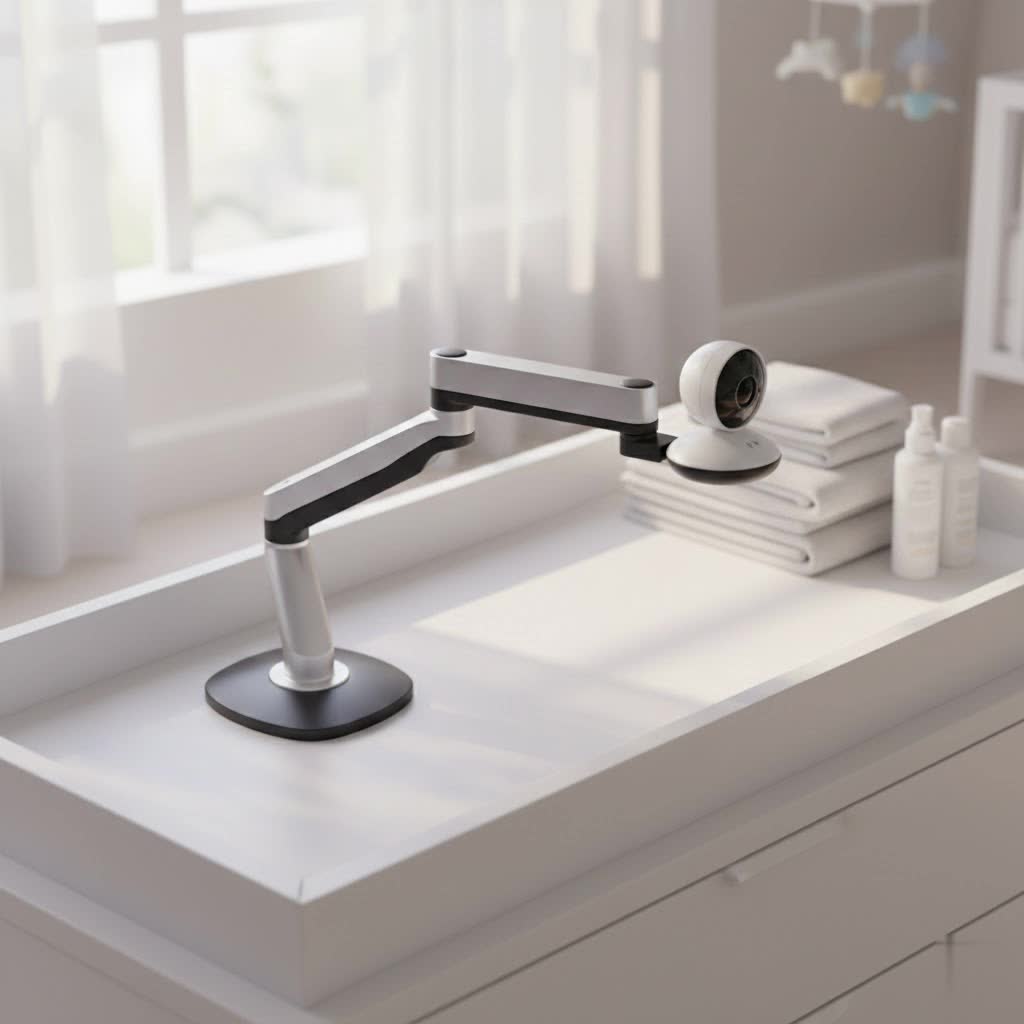
What is a Dual Monitor Arm and Why Do You Need It?
A dual monitor arm is an adjustable mounting device designed to securely hold two computer monitors, elevating them off your desk surface. Its primary function is to provide flexible positioning for both screens, allowing for ergonomic comfort and efficient use of valuable workspace. You need a dual monitor arm because it significantly improves your posture, frees up desk space, and enhances your overall productivity by allowing seamless adjustment and arrangement of your displays.
By attaching to your desk via clamps or grommets, or sometimes standing freely, these arms replace bulky factory stands, offering a wide range of motion including height, tilt, swivel, and rotation. This flexibility is crucial for maintaining an ergonomic posture, reducing strain on your neck and eyes, and creating a more organized and aesthetically pleasing workstation.
Popular Types of Dual Monitor Arms on the Market
The market offers several types of dual computer monitor arms, each with distinct advantages and ideal use cases. Understanding these differences will help you choose the best fit for your specific needs and desk setup.
Desk Mount Dual Monitor Arms
Desk mount arms are the most common type and attach directly to your desk. They come in two primary variations:
- Clamp Mount: This type uses a sturdy clamp that grips the edge of your desk, providing a secure attachment without requiring any permanent modifications.
- Pros: Easy to install and remove, compatible with most desks, no drilling required.
- Cons: Requires a stable desk edge, may not work with desks that have a thick or unusually shaped edge.
- Grommet Mount: For desks with an existing cable management hole (grommet hole), this mounting option provides an even more stable and integrated solution. The arm passes through the hole and secures underneath the desk.
- Pros: Extremely stable, clean aesthetic, ideal for permanent setups.
- Cons: Requires a pre-existing or drilled hole in the desk, less flexible for repositioning the mount itself.
|
Our Picks for the Best Monitor Arm in 2026
As an Amazon Associate I earn from qualifying purchases.
|
||
| Num | Product | Action |
|---|---|---|
| 1 | WALI Ultrawide Monitor Arm for 17-49 Inch Heavy Duty Curved Screens, Holds up to 44 Lbs, Adjustable Gas Spring Single Monitor Desk Mount with C-Clamp, Grommet Base, 75/100mm VESA, (GSM001XL), Black |

|
| 2 | WALI Single Monitor Arm Mount Stand, Adjustable Gas Spring Arm Monitor Mount for Display up to 32 Inch,19.8lbs Capacity (GSMP001W), White |
|
| 3 | WALI Ultrawide Monitor Arm for 13 to 49 Inch Heavy Duty Curved Screens, Adjustable Gas Spring Single Monitor Desk Mount with 2 USB 3.0 Ports, Holds 33 lbs, 75x75/100x100 VESA, Silver (GSMU001) |
|
| 4 | WALI Ultrawide Monitor Arm for 13 to 49 Inch Heavy Duty Curved Screens, Adjustable Gas Spring Single Monitor Desk Mount with 2 USB 3.0 Ports, Holds 33 lbs, 75x75/100x100 VESA, White (GSMU001-W) |
|
| 5 | HUANUO Dual Monitor Stand, Fully Adjustable Gaming Monitor Desk Mount for 13–32″ Computer Screens, Full Motion VESA 75x75/100x100 with C-Clamp & Grommet Base, Each Arm Holds 4.4 to 19.8 lbs |
|
| 6 | ARES WING Single Monitor Wall Mount for 17-40 Inch Ultrawide Screens, Heavy Duty Monitor Arm Up to 26.4 lbs, Fully Adjustable Wall Mount, VESA 75x75/100x100 Compatible, Black |
|
| 7 | WALI Single Monitor Mount, Gas Spring Monitor Arm for 17-34 inch Screens, Adjustable Computer Monitors Stand up to 26.4lbs, with Clamp and Grommet Base, Mounting Holes 75 and 100mm (GSMP001N), Black |
|
| 8 | HUANUO Single Monitor Mount, 13 to 32 Inch Monitor Arm, Adjustable Monitor Stand, Vesa Mount with Clamp and Grommet Base - Fits 4.4 to 19.8lbs LCD Computer Monitors |
|
| 9 | HUANUO Single Monitor Mount, 13 to 32 Inch Gas Spring Monitor Arm, Adjustable Stand, Vesa Mount with Clamp and Grommet Base - Fits 4.4 to 19.8lbs LCD Computer Monitors |
|
| 10 | HUANUO Dual Monitor Stand, Fully Adjustable Monitor Desk Mount for 13–32″ Computer Screens, Full Motion VESA 75x75/100x100 with C-Clamp & Grommet Base, Each Arm Holds 4.4 to 19.8 lbs -Grey |
|
Wall Mount Dual Monitor Arms
Wall mount arms are designed to attach directly to a wall, completely freeing up your desk surface.
- Pros: Maximizes desk space, very stable (when mounted correctly into studs), offers a minimalist look.
- Cons: Requires drilling into the wall, less flexible for moving the entire setup, may not be suitable for renters or those with standing desks where monitor height needs to adjust with the desk.
Spring-Assisted Dual Monitor Arms
Spring-assisted arms use a mechanical spring mechanism to counterbalance the weight of your monitors, allowing for easier vertical adjustments.
- Pros: Generally more affordable than gas spring arms, provides smooth up-and-down movement.
- Cons: May require more manual force for adjustment compared to gas springs, can be less precise in holding position if not properly tensioned.
Gas Spring Dual Monitor Arms
Gas spring arms utilize a compressed gas cylinder to provide fluid, effortless adjustments, often with just a fingertip.
- Pros: Superior ease of adjustment, excellent weight counterbalance, highly durable and precise positioning.
- Cons: Typically more expensive, some require a minimum monitor weight to function optimally.
Comparison Table of Dual Monitor Arm Types
To help you visualize the differences, here’s a comparison of the most common dual monitor arm types based on key criteria:
| Feature | Desk Clamp Mount | Grommet Mount | Wall Mount | Spring-Assisted Arm | Gas Spring Arm |
|---|---|---|---|---|---|
| Mounting | Desk Edge | Desk Hole | Wall Studs | Desk (Clamp/Grommet) | Desk (Clamp/Grommet) |
| Installation Ease | Easy | Moderate (drilling?) | Complex (drilling) | Moderate | Moderate |
| Stability | High | Very High | Very High | High | Very High |
| Desk Space Saved | Significant | Significant | Maximum | Significant | Significant |
| Adjustability | Good | Good | Varies by model | Good (vertical easier) | Excellent (fluid) |
| Price Range | Low to Mid | Low to Mid | Mid to High | Low to Mid | Mid to High |
| Aesthetics | Clean | Very Clean | Ultra-clean | Clean | Sleek, Modern |
| Best For | Most users, flexible | Permanent setups | Minimalist desk | Budget-conscious, basic | Premium feel, frequent |
| adjustments | adjustments |
Guide to Choosing the Right Dual Computer Monitor Arm
Selecting the perfect dual computer monitor arm requires careful consideration of several factors to ensure it meets your ergonomic needs and workspace demands.
1. Identify Your Usage Needs
Before diving into specifications, think about how you use your monitors.
- Monitor Size and Weight: This is the most critical factor. Check the individual weight and diagonal size of each of your monitors. Every monitor arm has specific weight and size limits per arm. Exceeding these limits can lead to instability, sagging, or damage.
- Number of Monitors: Since you’re looking for a dual monitor arm, ensure it’s designed to support two screens. Some dual arms have a single pole with two independent arms, while others have a crossbar.
- Adjustability Requirements: Do you frequently adjust your monitor’s height, tilt, or rotation? If so, a gas spring arm with a wide range of motion will be more beneficial. If you set your monitors once and rarely move them, a more basic spring-assisted or post-mount arm might suffice.
- Workspace Type: Are you using a traditional sitting desk, a standing desk, or a combination? Standing desk users often benefit from arms that allow quick and easy vertical adjustments.
2. Check Technical Specifications
Once you understand your needs, cross-reference them with the arm’s technical details.
- VESA Compatibility: Most monitors and monitor arms adhere to the VESA mounting standard, typically 75x75mm or 100x100mm hole patterns on the back of your monitor. Confirm that your monitors and the chosen arm are compatible.
- Weight Capacity: Double-check that the arm’s maximum weight capacity per arm is higher than the weight of your individual monitors.
- Range of Motion:
- Height Adjustment: Ensure the arm offers enough vertical travel to position your screens at eye level when you’re sitting or standing.
- Tilt, Swivel, and Rotation: Look for ample tilt (e.g., +/- 70 degrees) to combat glare, full 180-degree swivel for sharing screens, and 360-degree rotation to easily switch between landscape and portrait modes.
- Extension: Confirm the arm can extend far enough to bring your monitors to an comfortable viewing distance, usually an arm’s length away.
- Mounting Type: Choose between desk clamp, grommet, or wall mount based on your desk’s construction and your preference. Consider your desk’s thickness for clamp mounts.
- Cable Management: Integrated cable channels or clips are excellent for keeping your workspace tidy and free of unsightly wires.
3. Material and Durability
The longevity and stability of your monitor arm largely depend on its construction.
- Materials: Prioritize arms made from robust materials like heavy-gauge steel or aircraft-grade aluminum. These materials offer superior strength and durability compared to cheaper plastics.
- Joints and Mechanisms: Inspect the quality of the joints and adjustment mechanisms. They should feel solid and move smoothly without excessive wobble. Adjustable tension mechanisms are vital for fine-tuning the counterbalance to your monitor’s weight.
4. Brand Reputation and Reviews
Researching reputable brands and reading user reviews can provide invaluable insights.
- Trusted Brands: Look for brands known for their quality in ergonomic products.
- User Feedback: Read reviews from other users with similar monitor setups. Pay attention to comments regarding ease of installation, stability, long-term performance, and customer support.
> “Investing in a high-quality dual monitor arm is an investment in your long-term health and productivity. The ergonomic benefits of proper monitor positioning can significantly reduce musculoskeletal discomfort, making those long workdays far more manageable.” – Dr. Elena Petrova, Workplace Ergonomics Specialist
Top 5 Dual Computer Monitor Arms for 2026
Based on market trends, user reviews, and essential features, here are some top categories and examples of dual computer monitor arms that stand out in 2026:
- Best Overall Ergonomic Choice (Gas Spring): Look for models like the Ergotron LX Dual Monitor Arm or similar premium gas spring offerings. These are renowned for their robust build quality, fluid motion, extensive adjustability (360° rotation, wide tilt/swivel, significant height/extension), and excellent cable management. They often support monitors up to 27-32 inches and a good weight capacity per arm, though larger ultrawides might need specific heavy-duty versions.
- Best Value for Money (Gas Spring): Brands like Huanuo Dual Monitor Arm and ErGear Dual Monitor Arm Stand offer fantastic performance for their price point. These often feature reliable gas spring mechanisms, sturdy desk clamp/grommet options, VESA compatibility, and support for common monitor sizes (e.g., 13-32 inches). They provide a significant upgrade over basic stands without breaking the bank.
- Best for Heavy/Large Monitors: For those with larger, heavier monitors (e.g., 34-inch ultrawides or gaming monitors), consider heavy-duty options such as the VIVO Pneumatic Arm Dual Desk Mount or specialized arms designed for higher weight capacities (e.g., up to 44 lbs per arm). These arms feature reinforced construction and powerful gas springs to ensure stability and smooth adjustment for demanding setups.
- Best for Vertical Stacking: If desk space is narrow or your workflow benefits from monitors stacked one above the other, specific vertical dual monitor arms are ideal. The Huanuo Vertical Dual Monitor Stand or the Ergotron LX Dual Stacking Arm are good examples, offering dedicated designs for optimal vertical positioning and adjustability in this configuration.
- Best for Ultra-Minimalist Desks (Wall Mount): For a completely clear desk surface, a Mount-It! Dual Monitor Wall Mount or similar wall-mounted gas spring arms offer maximum space saving. These are excellent for permanent setups where the desk is static and can benefit from monitors floating seamlessly against the wall, though installation requires careful planning.
How to Install and Use Your Dual Computer Monitor Arm
Proper installation and usage are key to maximizing the benefits of your dual monitor arm.
Step-by-Step Installation:
- Clear Your Workspace: Remove existing monitors and clear the desk area where the arm will be installed.
- Attach the Mount:
- For Clamp Mount: Position the clamp at the back edge of your desk, ensuring it’s centered or where you desire the arm’s base. Tighten the clamp securely, making sure it doesn’t wobble. Use protective pads if provided.
- For Grommet Mount: Feed the pole or base through the grommet hole. Secure the base from underneath the desk using the provided plate and screws.
- Assemble the Arms: Follow the manufacturer’s instructions to attach the arm sections to the main pole/base.
- Attach VESA Plates to Monitors: Most arms have detachable VESA plates. Screw these plates onto the back of your monitors (75x75mm or 100x100mm patterns).
- Mount Monitors: Slide or clip your monitors (with attached VESA plates) onto the ends of the monitor arms. Secure them with any provided locking mechanisms.
- Adjust Tension: Once both monitors are mounted, adjust the tension of the gas springs or mechanical springs using the provided Allen key. Turn clockwise to increase tension (for heavier monitors) and counter-clockwise to decrease (for lighter monitors) until the monitors stay in place at any height without drifting up or down.
Tips for Effective Use:
- Ergonomic Positioning:
- Height: Position the top of your monitor screens at or slightly below eye level.
- Distance: Maintain an arm’s length (about 20-40 inches or 50-100 cm) from your eyes to the screen.
- Angle: Tilt screens slightly upwards to maintain a comfortable viewing angle.
- Center Your Primary Monitor: If one monitor is used more frequently, position it directly in front of you.
- Optimal Screen Orientation: Use portrait mode for coding, document reading, or long web pages, and landscape for general use or multimedia. Your dual arm should allow independent rotation.
- Cable Management: Utilize the arm’s cable management features to route and conceal cables, creating a clean and hazard-free workspace.
Maintenance and Cleaning of Your Monitor Arm
To ensure your dual computer monitor arm lasts for years and operates smoothly, a little routine maintenance goes a long way.
How to Clean Your Monitor Arm:
- Dust Regularly: Use a soft, dry microfiber cloth to wipe down the arms and base, removing dust and fingerprints.
- For Smudges: Lightly dampen the cloth with water or a mild, non-abrasive cleaner. Avoid harsh chemicals that could damage the finish.
- Clean Joints: Pay attention to the joints and moving parts, wiping away any accumulated dust that could hinder smooth operation.
Maintenance Tips for Longevity:
- Check Tension Periodically: Over time, the gas springs or mechanical springs might lose a bit of tension or your monitor weight might change. Re-adjust the tension as needed to ensure your monitors stay securely in position.
- Inspect Connections: Periodically check that all clamps, grommet mounts, and VESA plate screws are tight and secure. Loose connections can lead to instability.
- Avoid Overloading: Never exceed the specified weight capacity of your monitor arm. This can stress the components and lead to premature failure.
- Gentle Adjustments: While monitor arms are designed for movement, avoid slamming them into place. Use smooth, controlled motions to preserve the integrity of the joints and mechanisms.
Conclusion
A dual computer monitor arm is more than just an accessory; it’s a foundational element of a modern, ergonomic, and productive workspace. By freeing up valuable desk real estate, enabling precise screen positioning, and reducing physical strain, it empowers you to work smarter and more comfortably. Whether you’re a gamer, a creative professional, or someone who simply needs more screen real estate, the right dual monitor arm can profoundly enhance your daily experience.
Ready to reclaim your desk and boost your comfort? Which feature of a dual monitor arm excites you the most for your current setup?
Frequently Asked Questions
What is the primary benefit of a dual computer monitor arm?
The primary benefit is enhanced ergonomics, allowing you to position two monitors at the ideal height and distance to reduce neck and eye strain. It also significantly frees up desk space, leading to a more organized and productive work environment.
Can a dual monitor arm accommodate different sized monitors?
Yes, many dual monitor arms can accommodate monitors of different sizes, provided both monitors are within the individual weight and size capacity specified for each arm. However, for the best aesthetic and ergonomic alignment, having monitors of similar size is often recommended.
How do I know if my desk is suitable for a monitor arm?
Your desk needs to be sturdy enough to support the combined weight of your monitors and the arm itself. For clamp mounts, check your desk’s thickness to ensure it falls within the arm’s clamping range (typically 0.4-3.5 inches). For grommet mounts, you’ll need an existing hole or the ability to drill one.
Are gas spring monitor arms worth the extra cost?
For users who frequently adjust their monitor positions, gas spring arms are often worth the investment. They offer unparalleled smoothness and ease of adjustment with minimal effort, providing a superior user experience and precise positioning compared to spring-assisted or basic post-mount arms.
