Transforming your workspace into an ergonomic haven begins with the right tools, and a monitor arm is paramount among them. If you’ve ever battled limited desk space, neck strain from an awkwardly positioned screen, or simply longed for a cleaner, more organized setup, a monitor arm is your solution. Specifically, the grommet mount monitor arm offers a stable, integrated, and aesthetically pleasing way to achieve optimal screen placement, directly addressing the common frustrations of modern desk setups.
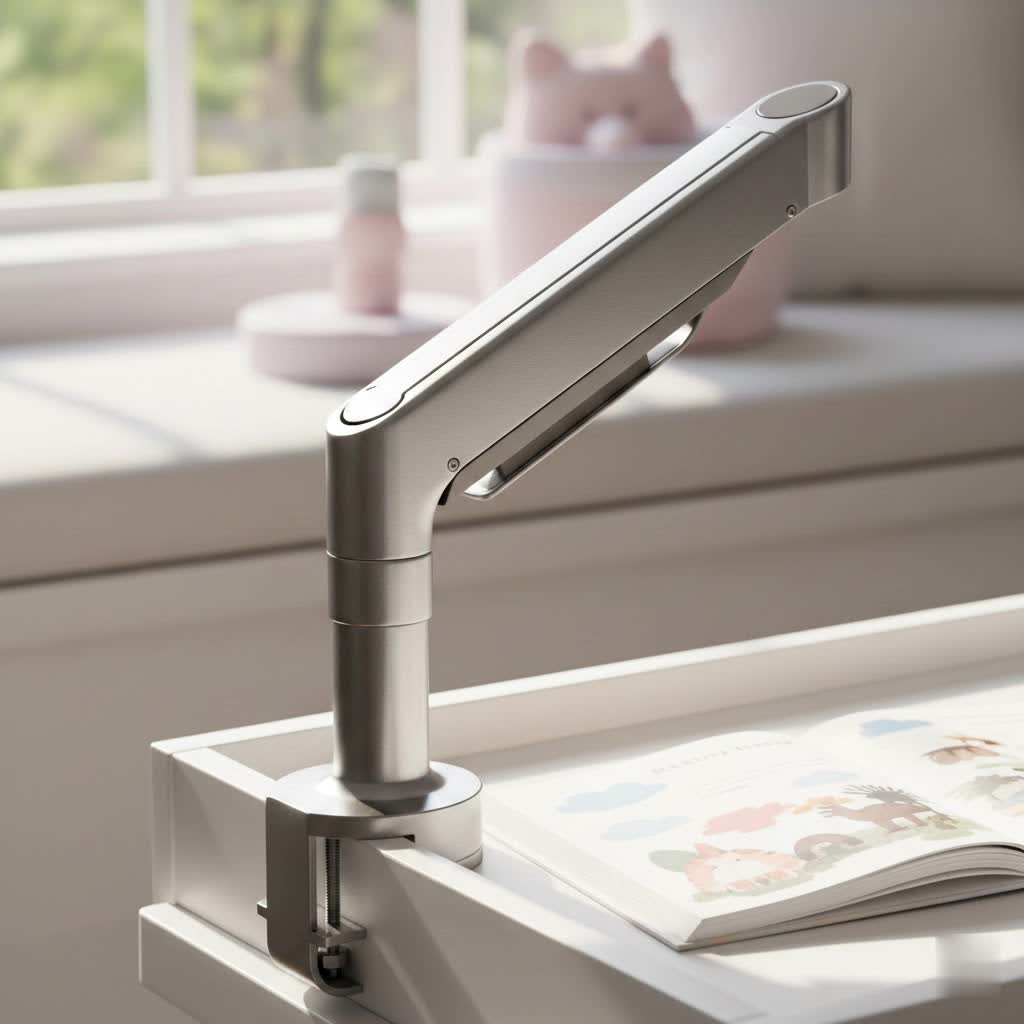
What is a Monitor Arm? Why Do You Need It?
A monitor arm is a mechanical device designed to hold your computer monitor above your desk surface, allowing for extensive adjustability in height, depth, tilt, and rotation. It’s far more than just a fancy stand; it’s a cornerstone of ergonomic workstation design.
By lifting your monitor off the desk, an arm frees up valuable surface area, creating a more organized and spacious environment. More importantly, it empowers you to position your screen at the precise eye level and distance required to maintain good posture, significantly reducing strain on your neck, shoulders, and eyes. This ergonomic advantage can dramatically improve comfort, enhance productivity, and safeguard your long-term health, making a monitor arm a wise investment for anyone spending hours at a desk.
Popular Monitor Arm Types on the Market
While all monitor arms share the goal of elevating your display, they differ significantly in their mounting methods and internal mechanisms. Understanding these distinctions is key to choosing the perfect arm for your unique needs.
Desk Mount (Clamp and Grommet)
Desk mounts are the most common type, attaching directly to your desk. This category includes two primary fastening methods:
- Clamp Mount: This familiar method uses a large C-clamp that tightens onto the back edge of your desk. It’s ideal for standard, solid desk edges and offers easy installation and repositioning without permanent modification. However, it requires a flat, unobstructed desk edge and might not be suitable for desks with thick rear lips or beveled edges.
- Grommet Mount: Also known as a bolt-through mount, this method secures the monitor arm by passing a bolt through a hole in your desk. This creates a direct, centralized anchor point, offering a cleaner, more integrated look with minimal hardware visible on the surface. Grommet mounts are particularly advantageous for desks with pre-drilled cable management holes or for users who desire precise, centered monitor placement away from the desk’s edge. They provide excellent stability, especially for larger or multiple monitors, and can bypass problematic desk edges that are incompatible with clamps.
|
Our Picks for the Best Monitor Arm in 2026
As an Amazon Associate I earn from qualifying purchases.
|
||
| Num | Product | Action |
|---|---|---|
| 1 | WALI Ultrawide Monitor Arm for 17-49 Inch Heavy Duty Curved Screens, Holds up to 44 Lbs, Adjustable Gas Spring Single Monitor Desk Mount with C-Clamp, Grommet Base, 75/100mm VESA, (GSM001XL), Black |

|
| 2 | WALI Single Monitor Arm Mount Stand, Adjustable Gas Spring Arm Monitor Mount for Display up to 32 Inch,19.8lbs Capacity (GSMP001W), White |
|
| 3 | ARES WING Single Monitor Wall Mount for 17-40 Inch Ultrawide Screens, Heavy Duty Monitor Arm Up to 26.4 lbs, Fully Adjustable Wall Mount, VESA 75x75/100x100 Compatible, Black |
|
| 4 | WALI Ultrawide Monitor Arm for 13 to 49 Inch Heavy Duty Curved Screens, Adjustable Gas Spring Single Monitor Desk Mount with 2 USB 3.0 Ports, Holds 33 lbs, 75x75/100x100 VESA, White (GSMU001-W) |
|
| 5 | WALI Ultrawide Monitor Arm for 13 to 49 Inch Heavy Duty Curved Screens, Adjustable Gas Spring Single Monitor Desk Mount with 2 USB 3.0 Ports, Holds 33 lbs, 75x75/100x100 VESA, Silver (GSMU001) |
|
| 6 | HUANUO Single Monitor Mount, 13 to 32 Inch Monitor Arm, Adjustable Monitor Stand, Vesa Mount with Clamp and Grommet Base - Fits 4.4 to 19.8lbs LCD Computer Monitors |
|
| 7 | HUANUO Single Monitor Mount, 13 to 32 Inch Gas Spring Monitor Arm, Adjustable Stand, Vesa Mount with Clamp and Grommet Base - Fits 4.4 to 19.8lbs LCD Computer Monitors |
|
| 8 | HUANUO Dual Monitor Stand, Fully Adjustable Monitor Desk Mount for 13–32″ Computer Screens, Full Motion VESA 75x75/100x100 with C-Clamp & Grommet Base, Each Arm Holds 4.4 to 19.8 lbs -Grey |
|
| 9 | HUANUO Dual Monitor Stand, Fully Adjustable Gaming Monitor Desk Mount for 13–32″ Computer Screens, Full Motion VESA 75x75/100x100 with C-Clamp & Grommet Base, Each Arm Holds 4.4 to 19.8 lbs |
|
| 10 | WALI Single Monitor Mount, Gas Spring Monitor Arm for 17-34 inch Screens, Adjustable Computer Monitors Stand up to 26.4lbs, with Clamp and Grommet Base, Mounting Holes 75 and 100mm (GSMP001N), Black |
|
Wall Mount
Wall-mounted monitor arms offer the ultimate desk space saving, as they attach directly to a wall stud behind your desk. This provides a very clean aesthetic and superior stability, completely isolating monitor movement from your desk. However, wall mounts are a permanent solution requiring drilling into your wall, and their placement is dictated by the location of wall studs, limiting flexibility.
Spring Arm
Spring arms use a mechanical spring system to counteract the weight of your monitor. They provide a good degree of flexibility and smooth vertical adjustment. While generally robust, the tension adjustment can sometimes be less precise than gas spring mechanisms, potentially requiring more effort to fine-tune.
Gas Spring Arm
Gas spring monitor arms utilize a gas cylinder (like those found in office chairs) to counterbalance the monitor’s weight. This mechanism allows for incredibly smooth, fluid, and effortless adjustments across its entire range of motion—up, down, forward, back, tilt, and swivel. Gas spring arms are highly favored for their ease of use, superior adjustability, and ability to hold position precisely once set, making them suitable for users who frequently reposition their screens. Many premium monitor arms, including top-rated grommet mounts, incorporate gas spring technology.
Monitor Arm Mounting Comparison Table
Choosing between mounting methods depends heavily on your desk and preferences. Here’s a quick comparison of the most common desk-mounted options:
| Feature | Clamp Mount | Grommet Mount |
|---|---|---|
| Installation | Quick, no tools/drilling required. | Requires pre-existing hole or drilling a new one. |
| Desk Compatibility | Flat desk edge (1″ to 4″ thick), no obstructions. | Works with almost any drillable material; independent of desk edge shape. |
| Stability | Excellent on thick, solid desks. Can be unstable on thin/hollow-core desks or if over-tightened. | Generally offers excellent stability by distributing force across the surface; ideal for bypassing problematic edges. Requires backing plate on thinner desks. |
| Aesthetics | Visible hardware on desk edge; slightly less integrated. | Creates a clean, “built-in” look with minimal visible hardware. |
| Flexibility | Very flexible; easy to move or remove. | Semi-permanent; moving leaves an open hole. |
| Damage Risk | Can cause edge damage on soft/thin desks if overtightened. | Minimal if installed correctly with reinforcement; permanent hole. |
Grommet Mount Monitor Arm Buying Guide
Selecting the ideal grommet mount monitor arm involves careful consideration of several factors to ensure it meets your ergonomic needs, desk specifications, and budget.
Determine Your Usage Needs
Begin by assessing your specific requirements:
- Monitor Size and Weight: Every monitor arm has a specified weight capacity and screen size range. Measure your monitor’s diagonal size and find its weight (usually listed in its specifications). Ensure the arm you choose can comfortably support your monitor, ideally with some margin. For instance, the Ergotron LX supports monitors up to 34 inches and 25 lbs, while the Ergotron HX is designed for ultrawide monitors up to 49 inches.
- Number of Monitors: Do you need to mount one, two, or even three monitors? Single-arm grommet mounts are common, but dual and triple arm options are available to create extensive multi-monitor setups.
- Budget: Monitor arms range from budget-friendly to premium. Define your budget early to narrow down options, remembering that investing in a quality arm can prevent future discomfort and desk damage.
Check Technical Specifications
Technical details are crucial for compatibility and performance:
- Load Capacity: This is the maximum weight the arm can support. Always choose an arm that exceeds your monitor’s weight to ensure stability and smooth operation.
- Adjustment Range: Look for an arm that offers a wide range of height adjustment, tilt (+/- 90 degrees is common), swivel (360 degrees for full rotation), and depth extension to achieve your ideal ergonomic position. Gas spring arms typically provide the best flexibility.
- VESA Compatibility: VESA is the standard for monitor mounting. Most monitors have 75x75mm or 100x100mm VESA patterns. Ensure the monitor arm’s mounting plate matches your monitor’s VESA holes.
- Desk Thickness and Grommet Hole Size: For a grommet mount, your desk’s thickness is critical. Most grommet mounts accommodate desk thicknesses up to 2.5 inches. If using an existing hole, measure its diameter; typical grommet holes are 0.5 to 1 inch. If drilling, ensure your desk can safely accommodate the required hole.
Material and Durability
The longevity and stability of your monitor arm depend on its construction:
- Prioritize Sturdy Materials: Look for arms made from durable materials like high-grade steel or aluminum. These materials offer the necessary strength to support monitors reliably over time.
- Inspect Joints and Mechanisms: Smooth, precise movements indicate well-engineered joints. For gas spring arms, ensure the tension adjustment mechanism is robust and easy to operate. A strong warranty (e.g., Ergotron offers a 10-year warranty on some models) is often a good indicator of manufacturer confidence in durability.
Brand and Reviews
Reputable brands often signify quality and reliable customer support:
- Research Trusted Brands: Brands like Ergotron, VIVO, and HUANUO are well-regarded in the monitor arm market.
- Read User Reviews: Consult reviews from other users for real-world insights into product performance, ease of installation, and durability. Pay attention to comments regarding stability with different desk types or monitor weights.
Top 3 Grommet Mount Monitor Arms for 2025
Based on their robust construction, versatile adjustability, and overall user satisfaction, here are some top monitor arm picks that often feature excellent grommet mounting options:
- Ergotron LX Single Monitor Arm (Around $200):
- Overview: Often considered a premium standard, the Ergotron LX boasts exceptional build quality and smooth adjustability. It’s built to last with a durable, industrial-grade finish.
- Features: Supports monitors up to 34 inches and 25 lbs. Offers smooth adjustments, a solid desk clamp, and grommet mount compatibility for desks up to 2.25 inches thick. Backed by a 10-year warranty.
- Ideal for: Users seeking a high-quality, reliable single monitor solution with excellent long-term durability.
- VIVO Heavy Duty Single Monitor Mount (Around $100):
- Overview: A strong contender in the mid-range, the VIVO Heavy Duty arm offers impressive build quality for its price, often featuring steel and aluminum construction.
- Features: Designed to support heavier and ultrawide screens (check specific model for exact capacity). Includes both clamp and grommet mounting options. VIVO is a US-based company known for customer support.
- Ideal for: Those with larger or ultrawide monitors who need a robust solution without a premium price tag, and prefer a company with responsive support.
- HUANUO Dual Monitor Mount (Around $50-$100):
- Overview: A popular and versatile choice for multi-monitor setups, HUANUO offers gas spring arms that provide good adjustability at an accessible price point.
- Features: Can support two monitors up to 32 inches and typically around 22 lbs per arm. Offers full swivel, tilt, and rotation. Often comes with both clamp and grommet mounting hardware.
- Ideal for: Users looking for an affordable yet effective dual monitor setup with flexible positioning capabilities and grommet mount compatibility.
How to Install and Use Your Grommet Mount Monitor Arm
Proper installation is crucial for the safety and stability of your monitor arm. A well-installed grommet mount provides a rock-solid foundation for your display.
Step-by-Step Grommet Mount Installation
- Assess Your Desk:
- Thickness: Measure your desktop thickness. Desks over 1 inch (25mm) thick are generally ideal. For thinner or hollow-core desks (under 20mm), plan to use a steel reinforcement plate both above and below the desktop to prevent pull-through or damage.
- Material: Solid wood, plywood, MDF, and particleboard are suitable for drilling. Never attempt to drill into tempered glass or sintered stone desks; consider a freestanding stand or specialized clamp for these materials.
- Existing Holes: Check for existing cable management grommet holes. These are perfect for installation, often requiring a 0.5 to 1-inch diameter.
- Mark and Drill (If No Existing Hole):
- Carefully choose your drilling location. For optimal stability, experts suggest placing the hole 2.5-3 inches (60-80mm) from the desk edge. Ensure adequate clearance from any internal desk supports or wiring.
- Use a pilot drill bit first, then the appropriate full-size drill bit (consult your monitor arm’s manual for the exact required diameter). Drill slowly and steadily to prevent splintering.
- Prepare the Mount:
- Insert any provided grommet sleeve into the drilled hole.
- Place the monitor arm base over the hole on the top of your desk.
- From underneath the desk, thread the long bolt from the monitor arm through the hole, ensuring any reinforcement plates are in place.
- Secure the bolt with the provided washer and nut, tightening it firmly but without excessive force. A torque wrench can help achieve the manufacturer’s recommended torque setting (typically 10-15 ft-lbs for the lock ring).
- Assemble the Arm and Attach Monitor:
- Follow the manufacturer’s instructions to assemble the articulating arm segments.
- Attach the VESA plate to the back of your monitor using the screws provided with the arm. Ensure the screws are the correct length to avoid damaging internal components.
- Carefully connect your monitor (with the VESA plate attached) to the arm’s mounting bracket. Most systems have a “snap-on” or threaded connection. Test the connection before releasing the monitor.
- Adjust Tension:
- For gas spring arms, you’ll need to adjust the tension to match your monitor’s weight. Use the provided Allen wrench or knob to increase tension (clockwise) for heavier monitors or decrease it (counter-clockwise) for lighter ones. Adjust until the monitor holds its position effortlessly at any height.
Tips for Effective Usage and Ergonomics
- Eye Level: Position the top of your monitor screen at or slightly below eye level. Your eyes should naturally fall to the top third of the screen.
- Arm’s Length: Sit about an arm’s length away from your monitor (20-24 inches).
- Tilt and Swivel: Adjust the tilt to eliminate glare and the swivel to easily share your screen with colleagues.
- Cable Management: Utilize the integrated cable management channels or clips on your monitor arm to keep wires neat and prevent tangles. Leave enough slack for full arm movement.
Maintenance and Cleaning of Your Monitor Arm
Regular care ensures your grommet mount monitor arm remains functional and extends its lifespan.
- Cleaning: Use a soft, damp cloth to wipe down the arm and base. Avoid harsh chemical cleaners that could damage finishes.
- Check Connections: Periodically inspect all mounting points—the grommet bolt under the desk, the VESA plate screws, and all arm joints—to ensure they remain secure. Tighten any loose connections.
- Tension Adjustment: If your monitor starts to sag or becomes difficult to adjust, re-calibrate the gas spring tension as needed.
- Lubrication: For mechanical joints that feel stiff, a small amount of light machine oil can improve movement.
Conclusion
A grommet mount monitor arm is an exceptional investment for anyone seeking to optimize their workspace. It delivers unmatched stability and a sleek, integrated aesthetic by securely bolting through your desk, freeing up valuable surface area, and promoting superior ergonomics. By understanding your desk’s compatibility, carefully evaluating the technical specifications of different arms, and following a precise installation process, you can find the perfect grommet mount to elevate your monitors—and your workday—to new heights. Embrace the benefits of a well-organized, ergonomically sound setup, and watch your comfort and productivity soar.
Ready to take control of your workspace? What specific features are you looking for in your next monitor arm?
Frequently Asked Questions
What kind of desk is best for a grommet mount monitor arm?
Grommet mounts work well with most solid desks, including those made of wood, MDF, or particleboard, especially if they have an existing cable management hole. They are also ideal for desks with irregular edges (like beveled or curved) where a clamp mount wouldn’t be secure.
Is drilling a hole for a grommet mount difficult?
While it requires a drill and careful measurement, drilling a hole for a grommet mount is a straightforward process for most DIY enthusiasts. Always ensure you have the right drill bit size, take precise measurements, and consult your monitor arm’s manual for specific instructions and recommended hole diameters.
Can a grommet mount improve desk stability compared to a clamp mount?
On a sturdy, thick desk, both clamp and grommet mounts can offer excellent stability. However, a grommet mount often provides a perceived “rock-solid” connection and can be more stable than a clamp on desks with problematic edges or when supporting very heavy or ultrawide monitors, as it distributes the force directly through the desktop.
What is VESA compatibility, and why is it important for monitor arms?
VESA compatibility refers to a standardized pattern of mounting holes on the back of your monitor. It’s crucial because your monitor arm must have a matching VESA plate to attach correctly to your screen. Common VESA patterns are 75x75mm and 100x100mm, but always check your monitor’s specifications.
How do I manage cables with a grommet mount monitor arm?
Many grommet mount monitor arms come with integrated cable management features, such as channels or clips along the arm. Additionally, the grommet hole itself can often be used to route cables directly through the desk, contributing to an exceptionally clean and clutter-free workspace.
