Are you struggling with poor posture, a cluttered desk, or limited screen flexibility in your workspace? Many individuals face these common issues, often leading to discomfort and reduced productivity. A monitor arm is an often-overlooked solution that can transform your desk setup, enhance ergonomics, and free up valuable surface area. Whether you’re looking to improve your health, optimize your workflow, or simply declutter, finding the right monitor arm is a crucial step. This guide will walk you through everything you need to know, from understanding different types to making an informed purchase, even helping you find one conveniently near your location.
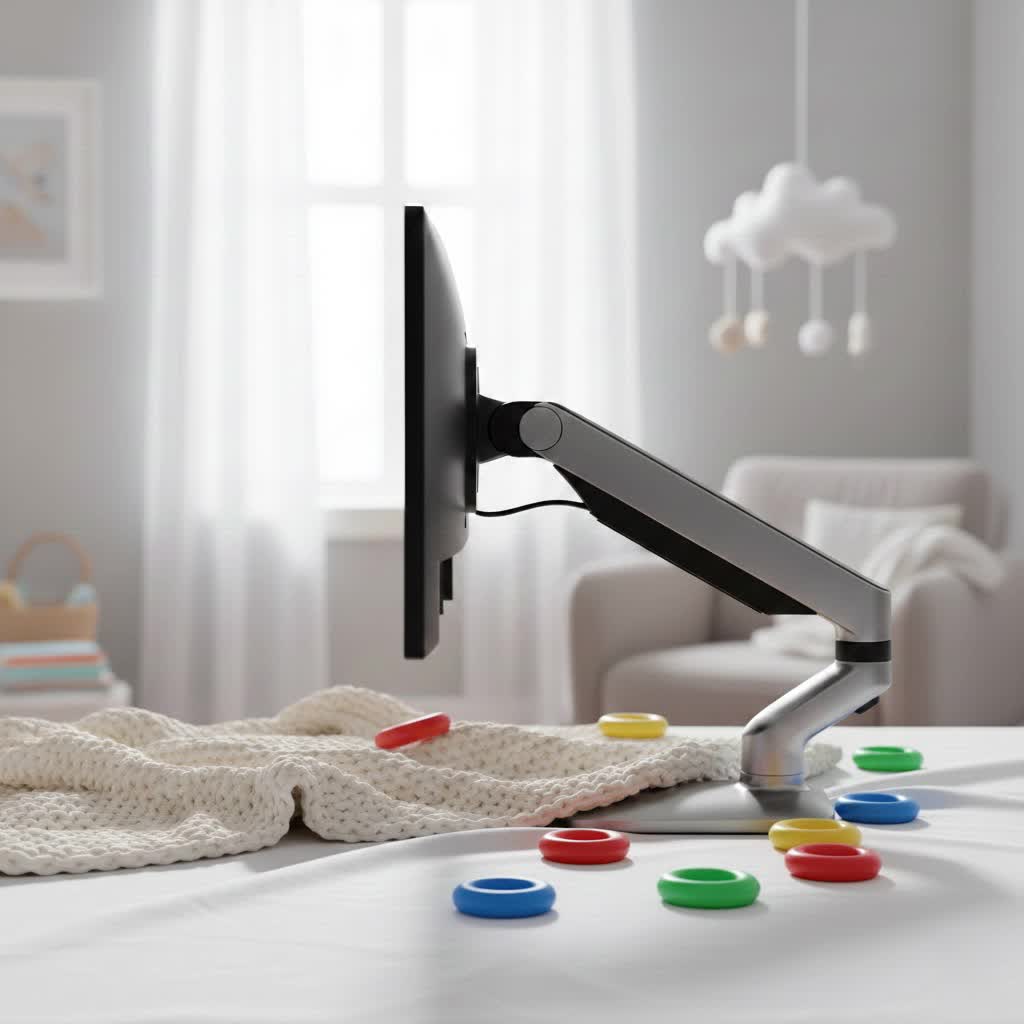
What is a Monitor Arm? Why Do You Need It?
A monitor arm, also known as a monitor mount or monitor stand, is a device designed to support and elevate your computer screen(s) above your desk surface. Its primary function is to provide greater adjustability than a standard monitor stand, allowing you to position your screen precisely where you need it.
The importance of a monitor arm stems from its ability to significantly improve both your physical well-being and your workspace efficiency.
- Ergonomic Benefits: Proper monitor height and distance are crucial for maintaining a neutral posture. A monitor arm allows you to raise, lower, tilt, swivel, and rotate your screen, preventing neck strain, shoulder pain, and eye fatigue. It helps align your monitor at eye level, promoting a healthy ergonomic setup.
- Workspace Optimization: By lifting your monitor off the desk, an arm instantly frees up valuable desk space. This allows for better organization, more room for peripherals, or simply a cleaner, more minimalist aesthetic. Cable management features, often integrated into monitor arms, further contribute to a tidy environment.
- Flexibility and Adaptability: Whether you frequently stand and sit, collaborate with colleagues, or need to switch between portrait and landscape orientations, a monitor arm provides unmatched flexibility. It adapts to various work styles and preferences, making it an essential tool for dynamic work environments.
Popular Types of Monitor Arms on the Market
Monitor arms come in several variations, each with unique advantages tailored to different needs and desk setups. Understanding these types will help you narrow down your choices.
Desk Mount Monitor Arms
These are the most common type, designed to attach directly to your desk.
- Clamp Mount: The arm attaches to the edge of your desk using a C-clamp mechanism.
- Pros: Easy to install and remove, no drilling required, suitable for most desks with accessible edges.
- Cons: Requires a sturdy desk edge, may not be suitable for very thick or thin desktops.
- Grommet Mount: The arm is secured through a pre-existing hole (grommet hole) in your desk or a hole you drill yourself.
- Pros: Provides a very secure and stable mount, ideal for maintaining a clean aesthetic with cables routed through the desk.
- Cons: Requires a grommet hole or drilling, less flexible for repositioning the arm entirely.
|
Our Picks for the Best Monitor Arm in 2026
As an Amazon Associate I earn from qualifying purchases.
|
||
| Num | Product | Action |
|---|---|---|
| 1 | WALI Ultrawide Monitor Arm for 17-49 Inch Heavy Duty Curved Screens, Holds up to 44 Lbs, Adjustable Gas Spring Single Monitor Desk Mount with C-Clamp, Grommet Base, 75/100mm VESA, (GSM001XL), Black |

|
| 2 | HUANUO Single Monitor Mount, 13 to 32 Inch Gas Spring Monitor Arm, Adjustable Stand, Vesa Mount with Clamp and Grommet Base - Fits 4.4 to 19.8lbs LCD Computer Monitors |
|
| 3 | HUANUO Dual Monitor Stand, Fully Adjustable Gaming Monitor Desk Mount for 13–32″ Computer Screens, Full Motion VESA 75x75/100x100 with C-Clamp & Grommet Base, Each Arm Holds 4.4 to 19.8 lbs |
|
| 4 | WALI Ultrawide Monitor Arm for 13 to 49 Inch Heavy Duty Curved Screens, Adjustable Gas Spring Single Monitor Desk Mount with 2 USB 3.0 Ports, Holds 33 lbs, 75x75/100x100 VESA, Silver (GSMU001) |
|
| 5 | WALI Single Monitor Mount, Gas Spring Monitor Arm for 17-34 inch Screens, Adjustable Computer Monitors Stand up to 26.4lbs, with Clamp and Grommet Base, Mounting Holes 75 and 100mm (GSMP001N), Black |
|
| 6 | ARES WING Single Monitor Wall Mount for 17-40 Inch Ultrawide Screens, Heavy Duty Monitor Arm Up to 26.4 lbs, Fully Adjustable Wall Mount, VESA 75x75/100x100 Compatible, Black |
|
| 7 | WALI Single Monitor Arm Mount Stand, Adjustable Gas Spring Arm Monitor Mount for Display up to 32 Inch,19.8lbs Capacity (GSMP001W), White |
|
| 8 | HUANUO Single Monitor Mount, 13 to 32 Inch Monitor Arm, Adjustable Monitor Stand, Vesa Mount with Clamp and Grommet Base - Fits 4.4 to 19.8lbs LCD Computer Monitors |
|
| 9 | HUANUO Dual Monitor Stand, Fully Adjustable Monitor Desk Mount for 13–32″ Computer Screens, Full Motion VESA 75x75/100x100 with C-Clamp & Grommet Base, Each Arm Holds 4.4 to 19.8 lbs -Grey |
|
| 10 | WALI Ultrawide Monitor Arm for 13 to 49 Inch Heavy Duty Curved Screens, Adjustable Gas Spring Single Monitor Desk Mount with 2 USB 3.0 Ports, Holds 33 lbs, 75x75/100x100 VESA, White (GSMU001-W) |
|
Wall Mount Monitor Arms
As the name suggests, these arms attach directly to a wall.
- Pros: Completely frees up desk space, provides a very secure installation, ideal for small desks or setups where a desk mount isn’t feasible.
- Cons: Permanent installation, requires drilling into a wall, less flexible for moving the monitor between different desk areas.
- When to use: Perfect for built-in desks, standing workstations, or when you need maximum desk surface area.
Spring-Assisted Monitor Arms (Mechanical Spring)
These arms use a mechanical spring mechanism to counteract the weight of the monitor, allowing for height adjustments.
- Pros: Generally more affordable, offer smooth vertical adjustment, durable.
- Cons: May require more force to adjust than gas spring arms, can be less precise in holding certain positions.
- Who they’re for: Ideal for users on a budget who need reliable height adjustment.
Gas Spring Monitor Arms
These arms utilize a gas cylinder to provide fluid, effortless adjustments to monitor height, tilt, swivel, and rotation.
- Pros: Extremely smooth and easy to adjust with minimal effort, excellent for frequent repositioning, superior flexibility and precision.
- Cons: Generally more expensive than mechanical spring arms.
- How to adjust: A tension adjustment screw allows you to fine-tune the arm to match your monitor’s weight, ensuring it stays exactly where you set it.
Monitor Arm vs. Monitor Stand: Which is Right for You?
While both monitor arms and traditional monitor stands aim to improve your viewing experience, they differ significantly in adjustability, desk space utilization, and stability.
| Feature | Monitor Arm | Traditional Monitor Stand |
|---|---|---|
| Adjustability | Full motion (height, tilt, swivel, rotation) | Primarily height adjustment, limited tilt |
| Desk Space | Maximizes desk space by elevating monitor | Occupies desk space with its base |
| Stability | Very stable when properly clamped/mounted | Stable, but less dynamic movement |
| Ergonomics | Superior, precise positioning for optimal posture | Basic improvement, fixed positions |
| Price | Generally higher | Generally lower |
| Installation | Clamp, grommet, or wall mount | Simple placement on desk |
Monitor arms are the clear winner for those seeking superior ergonomics and maximum desk space. While a basic stand might offer some height adjustment, an arm provides the dynamic movement needed for truly personalized and healthy viewing angles.
Essential Factors When Choosing a Monitor Arm (Buying Guide)
Selecting the ideal monitor arm involves considering several critical factors to ensure compatibility, functionality, and longevity.
Assess Your Needs
Before diving into technical specifications, understand what you need the arm to do.
- Monitor Size and Weight: This is paramount. Most monitor arms have specific weight and size limits. Always check your monitor’s specifications (found in its manual or online) and ensure the arm you choose can safely support it.
- Number of Monitors: Do you need to mount a single monitor, or a dual, triple, or even quad setup? Arms are designed for specific numbers of screens.
- Budget: Monitor arms range widely in price. Determine how much you’re willing to spend, keeping in mind that higher-end models often offer smoother adjustments and greater durability.
Check Technical Specifications
Once you know your needs, verify these technical details.
- Weight Capacity: This is the maximum weight the arm can support. It’s crucial to match this with your monitor’s weight, including any accessories attached to it.
- VESA Compatibility: VESA (Video Electronics Standards Association) is a standard for TV and monitor mounts. Most monitors have 75x75mm or 100x100mm VESA mounting patterns. Confirm your monitor’s VESA pattern matches the arm.
- Adjustment Range: Look at the height adjustment range, tilt angle, swivel range, and rotation capabilities. Ensure these ranges allow you to achieve your desired ergonomic positions.
- Desk Compatibility: If choosing a desk mount, check your desk’s thickness and whether it has a sturdy edge for clamping, or if you prefer a grommet mount, ensure a suitable hole is available or can be drilled.
Material and Durability
The materials used directly impact the arm’s stability and lifespan.
- Prioritize arms made from robust materials like steel or aluminum. These offer superior strength and resistance to wear and tear.
- Examine the quality of the joints and adjustment mechanisms. Smooth, silent operation often indicates better engineering and durability.
Brand Reputation and Reviews
Researching reputable brands and reading user reviews can provide valuable insights.
- Look for brands known for quality and customer support. Companies like Ergotron, VIVO, HUANUO, and Mount-It! are often cited for their reliable products.
- Read reviews from other users with similar monitor setups to get an honest perspective on performance, ease of installation, and long-term satisfaction.
Where to Find Monitor Arms Locally (and Online)
The “near me” aspect of your search is important, as sometimes you need a monitor arm quickly or prefer to see the product in person before buying.
Local Retailers
Many physical stores carry a selection of monitor arms, allowing you to examine the build quality and adjustment mechanisms firsthand.
- Electronics Stores: Large electronics retailers like Best Buy often have a dedicated section for computer accessories, including various monitor arms. You can frequently find popular brands and models here.
- Office Supply Stores: Stores such as Office Depot or Staples stock a range of ergonomic office equipment, and monitor arms are a staple for improving workstation ergonomics.
- General Merchandise Stores: Retail giants like Walmart and Target sometimes carry basic to mid-range monitor arms, especially their private label brands or popular entry-level options.
- Specialty Computer Stores: Smaller, independent computer shops might have a more curated selection or can offer personalized advice.
When shopping locally, it’s always a good idea to check the store’s website for stock availability before visiting.
Online Retailers
While not “near me” in the physical sense, online stores offer an unparalleled selection and often competitive pricing.
- Advantages: Wider variety of brands and models, customer reviews, detailed specifications, and often better deals.
- Consideration: You can’t physically inspect the product before purchase. However, most reputable online retailers offer easy returns.
- Strategy: You can research products online, read reviews, and then check if a specific model is available at a local store.
Choosing between local and online depends on your urgency, desire to inspect the product, and preference for selection versus immediate availability.
Top Monitor Arms on the Market [Year]
While specific model availability can vary, several types and features consistently rank highly for performance and user satisfaction in 2024.
- Gas Spring Arms: These remain a top choice for their effortless adjustability. Brands like Ergotron and VIVO offer robust gas spring options suitable for a wide range of monitors, including larger and ultrawide screens.
- Heavy-Duty Arms: For users with substantial monitors (e.g., 34-inch ultrawides or 49-inch super ultrawides), heavy-duty monitor arms are essential. These are engineered with stronger components to safely support heavier loads, often incorporating reinforced clamps or grommet bases.
- Dual Monitor Arms: As multi-monitor setups become standard, dual monitor arms from brands like HUANUO and Mount-It! are popular for creating an organized and ergonomic workstation for two screens. Look for models that allow independent adjustment of each arm.
- Integrated Features: Some modern monitor arms include convenient features like built-in USB ports, headphone jacks, or advanced cable management channels, further enhancing workspace functionality.
> “Investing in a quality monitor arm is an investment in your long-term health and productivity. The ability to precisely adjust your screen is a game-changer for anyone spending hours at a desk.” – Alex Chen, Ergonomics Specialist at ErgoSolutions
How to Install and Use a Monitor Arm Effectively
Proper installation and usage are key to maximizing the benefits of your monitor arm.
Step-by-Step Installation (General Guide)
- Read the Manual: Always start by thoroughly reading the manufacturer’s instructions, as steps can vary between models.
- Attach the Mount to Your Desk/Wall:
- For Clamp Mount: Secure the clamp to a sturdy edge of your desk, tightening it firmly.
- For Grommet Mount: Insert the mount’s base through the grommet hole and secure it from underneath the desk.
- For Wall Mount: Mark and drill pilot holes, then securely fasten the wall plate to wall studs using appropriate hardware.
- Attach VESA Plate to Monitor: Fasten the VESA plate (which usually detaches from the arm) to the back of your monitor using the provided screws. Ensure it’s tightly secured.
- Mount Monitor to Arm: Slide or click the monitor (with VESA plate attached) onto the arm’s head.
- Adjust Tension: For gas spring or spring-assisted arms, adjust the tension screw (usually located on the arm or base) to match your monitor’s weight. This ensures the arm holds its position firmly and moves smoothly.
Adjusting for Optimal Ergonomics
- Height: Position the top of your monitor screen at or slightly below eye level. This allows you to view the entire screen without tilting your head up or down.
- Distance: Maintain an arm’s length distance between your eyes and the screen.
- Tilt: Tilt the screen slightly upwards (5-10 degrees) to ensure the entire display is comfortable to view.
- Swivel & Rotation: Use these features for collaboration or to switch between landscape and portrait mode for specific tasks.
Cable Management
Most monitor arms include clips or channels to route your cables. Utilize these to keep your desk clutter-free and prevent cable damage.
Maintenance and Care for Your Monitor Arm
A little care goes a long way in extending the lifespan and ensuring the smooth operation of your monitor arm.
- Regular Cleaning: Wipe down the arm with a soft, damp cloth to remove dust and grime. Avoid harsh chemical cleaners, as they can damage finishes.
- Check Connections: Periodically inspect all screws, clamps, and connections to ensure they remain tight. Loose fittings can compromise stability and functionality.
- Lubrication (if applicable): Some older mechanical arms might benefit from a very small amount of silicone-based lubricant on joints if they start to become stiff, but this is less common with modern gas spring designs. Always refer to your manual.
- Avoid Overloading: Never exceed the specified weight capacity of your monitor arm. This can lead to damage to the arm, your monitor, or your desk.
Conclusion
A monitor arm is a powerful upgrade for any workstation, offering significant ergonomic benefits, reclaiming valuable desk space, and providing unmatched flexibility in screen positioning. From desk-mounted gas springs to wall-mounted solutions, there’s a monitor arm designed to meet every need and preference. By carefully considering factors like monitor size and weight, desired adjustability, and installation type, you can choose the perfect arm. Whether you prefer the convenience of browsing options at a local electronics or office supply store, or the vast selection available online, investing in the right monitor arm will undoubtedly enhance your comfort, productivity, and overall well-being. Are you ready to elevate your workspace to new heights?
Frequently Asked Questions
What is the VESA standard, and why is it important for monitor arms?
VESA is a set of standards that define the mounting interface for flat-panel displays. It specifies the pattern of screw holes on the back of your monitor. For a monitor arm to be compatible, its VESA plate must match your monitor’s VESA pattern, typically 75x75mm or 100x100mm, ensuring a secure and universal fit.
Can a monitor arm damage my desk?
Most desk-mounted monitor arms use either a C-clamp or grommet mount. While generally safe, improper installation or excessive tightening of a C-clamp on a fragile desk can potentially cause damage. Using a protective pad between the clamp and the desk, and ensuring your desk is sturdy enough, can prevent issues.
Are dual monitor arms difficult to install?
Dual monitor arms are slightly more complex than single arms but are generally straightforward to install with clear instructions. The main difference is managing the weight and positioning of two screens. Many come with independent adjustability for each arm, making fine-tuning easier once mounted.
How much weight can a typical monitor arm hold?
The weight capacity varies significantly by model. Entry-level single monitor arms might support 15-20 lbs (7-9 kg), while heavy-duty or dual monitor arms can support 30-45 lbs (13-20 kg) or more per arm. Always check the specific product’s specifications for its maximum weight limit.
