Is a cluttered desk cramping your style and your posture? Constantly craning your neck to view your screen can lead to discomfort, strain, and reduced productivity. The solution lies in a simple yet revolutionary piece of equipment: a fully adjustable monitor arm. This essential ergonomic tool transforms your workstation, freeing up valuable desk space and allowing you to position your monitor precisely for optimal comfort and health. By understanding the types, features, and benefits, you can find the perfect monitor arm to enhance your daily work experience.
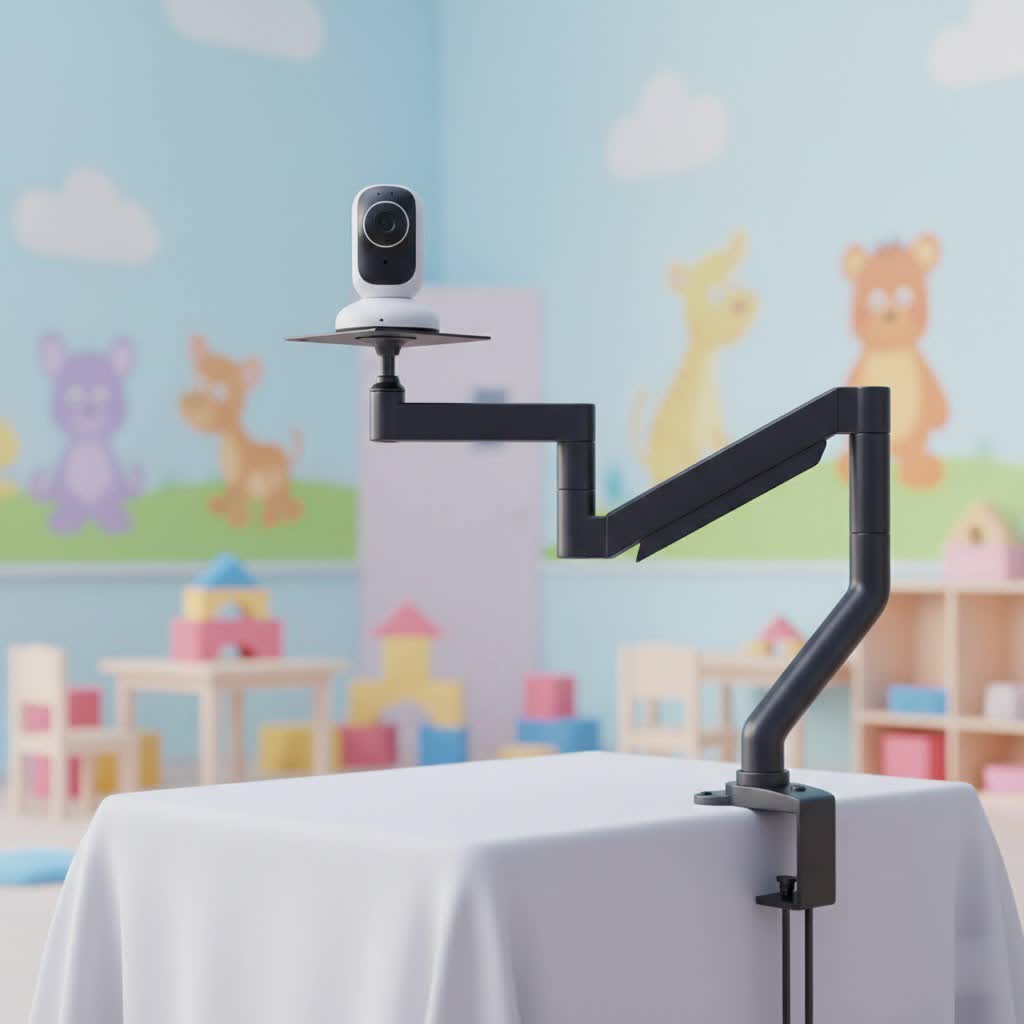
What is a Monitor Arm and Why Do You Need One?
A monitor arm, also known as a monitor mount or monitor riser, is a device designed to support and elevate your computer screen, laptop, or tablet. Unlike the basic stands that come with most monitors, a high-quality monitor arm offers dynamic adjustability, allowing you to easily change your screen’s height, tilt, swivel, and rotation. This flexibility is crucial for creating an ergonomic workspace tailored to your unique needs.
The importance of a monitor arm extends beyond mere convenience. It plays a vital role in improving your posture by bringing your screen to eye level, preventing you from hunching over or craning your neck. This promotes better spinal alignment, reducing the risk of neck and back pain. Furthermore, by lifting your monitor off the desk, an arm significantly declutters your workspace, creating a more organized and spacious environment. This improved setup can lead to increased focus, comfort, and overall productivity throughout your day.
Popular Types of Monitor Arms
Monitor arms come in various designs, each offering distinct advantages depending on your desk setup and preferences. Understanding these types will help you narrow down the best choice for your needs.
Desk Mount Monitor Arms
Desk mount monitor arms are the most common type, attaching directly to your desk. They typically come in two main styles:
- Clamp Mount: These arms secure to the edge of your desk using a C-clamp mechanism. They are easy to install and remove, making them ideal for renters or those who frequently rearrange their workspace. They require sufficient desk overhang and a sturdy desk edge.
- Grommet Mount: For desks with pre-drilled holes, a grommet mount offers a more secure and integrated solution. The arm passes through the hole and is fastened from underneath the desk, providing a clean look.
- Freestanding: These arms sit on a weighted base directly on your desk. They are excellent for glass desks or situations where clamping or drilling is not possible, though they do occupy some desk space with their base.
|
Our Picks for the Best Monitor Arm in 2026
As an Amazon Associate I earn from qualifying purchases.
|
||
| Num | Product | Action |
|---|---|---|
| 1 | WALI Single Monitor Arm Mount Stand, Adjustable Gas Spring Arm Monitor Mount for Display up to 32 Inch,19.8lbs Capacity (GSMP001W), White |

|
| 2 | HUANUO Single Monitor Mount, 13 to 32 Inch Monitor Arm, Adjustable Monitor Stand, Vesa Mount with Clamp and Grommet Base - Fits 4.4 to 19.8lbs LCD Computer Monitors |
|
| 3 | WALI Ultrawide Monitor Arm for 17-49 Inch Heavy Duty Curved Screens, Holds up to 44 Lbs, Adjustable Gas Spring Single Monitor Desk Mount with C-Clamp, Grommet Base, 75/100mm VESA, (GSM001XL), Black |
|
| 4 | WALI Single Monitor Mount, Gas Spring Monitor Arm for 17-34 inch Screens, Adjustable Computer Monitors Stand up to 26.4lbs, with Clamp and Grommet Base, Mounting Holes 75 and 100mm (GSMP001N), Black |
|
| 5 | WALI Ultrawide Monitor Arm for 13 to 49 Inch Heavy Duty Curved Screens, Adjustable Gas Spring Single Monitor Desk Mount with 2 USB 3.0 Ports, Holds 33 lbs, 75x75/100x100 VESA, White (GSMU001-W) |
|
| 6 | HUANUO Dual Monitor Stand, Fully Adjustable Gaming Monitor Desk Mount for 13–32″ Computer Screens, Full Motion VESA 75x75/100x100 with C-Clamp & Grommet Base, Each Arm Holds 4.4 to 19.8 lbs |
|
| 7 | ARES WING Single Monitor Wall Mount for 17-40 Inch Ultrawide Screens, Heavy Duty Monitor Arm Up to 26.4 lbs, Fully Adjustable Wall Mount, VESA 75x75/100x100 Compatible, Black |
|
| 8 | WALI Ultrawide Monitor Arm for 13 to 49 Inch Heavy Duty Curved Screens, Adjustable Gas Spring Single Monitor Desk Mount with 2 USB 3.0 Ports, Holds 33 lbs, 75x75/100x100 VESA, Silver (GSMU001) |
|
| 9 | HUANUO Dual Monitor Stand, Fully Adjustable Monitor Desk Mount for 13–32″ Computer Screens, Full Motion VESA 75x75/100x100 with C-Clamp & Grommet Base, Each Arm Holds 4.4 to 19.8 lbs -Grey |
|
| 10 | HUANUO Single Monitor Mount, 13 to 32 Inch Gas Spring Monitor Arm, Adjustable Stand, Vesa Mount with Clamp and Grommet Base - Fits 4.4 to 19.8lbs LCD Computer Monitors |
|
Desk mounts are highly versatile, often supporting single, dual, or even multiple monitor setups.
Wall Mount Monitor Arms
Wall mount monitor arms attach directly to a wall stud, offering maximum desk space and a very clean aesthetic. They are particularly beneficial for smaller desks, standing desks that are pushed against a wall, or when you want your monitors to float independently of the desk surface. Installation requires drilling into a wall and ensuring proper stud placement, making them a more permanent solution.
Mechanical Spring Monitor Arms
Mechanical spring monitor arms use traditional mechanical springs or tension adjustments to counterbalance the monitor’s weight. While they may not offer the super-smooth, “fingertip-light” adjustments of gas spring arms, they provide stable support once adjusted. They are often more cost-effective and can be very durable, capable of holding heavier monitors. Adjustments usually involve turning a screw to set the desired tension.
Gas Spring Monitor Arms
Gas spring monitor arms utilize a pressurized gas cylinder to counterbalance the monitor’s weight. This mechanism allows for incredibly fluid, effortless adjustments with just a touch. You can easily raise, lower, extend, or retract your monitor throughout the day. They are ideal for users who frequently adjust their screen position or work in agile environments where multiple people use the same workstation. Gas spring arms often come with intuitive tension adjustment knobs to accommodate varying monitor weights.
Detailed Comparison of Monitor Arm Types
| Feature / Type | Desk Mount (Clamp/Grommet) | Wall Mount | Mechanical Spring | Gas Spring |
|---|---|---|---|---|
| Price Range | Low to Mid | Mid to High | Low to Mid | Mid to High |
| Durability | High (depends on build quality) | Very High (once installed) | High, long-lasting | High, excellent for frequent adjustments |
| Adjustability | Excellent (height, tilt, swivel, rotation) | Excellent (height, tilt, swivel, rotation) | Good (stable once set, requires manual tension) | Excellent (fluid, effortless, dynamic) |
| Max Load | Varies widely, can be heavy-duty | Generally high, less desk weight restriction | Can support heavier monitors | Varies, usually lighter-to-medium monitors |
| Aesthetics | Minimalist, frees up desk surface | Very clean, floating display | Clean, but internal mechanism less hidden | Sleek, often fully enclosed for cables |
| Installation | Easy to Moderate (clamp easier than grommet) | Moderate to Difficult (requires wall drilling) | Moderate (adjusting tension) | Easy to Moderate (adjusting tension) |
| Desk Space Impact | Minimal (clamp/grommet), small base (freestanding) | Maximum space saving | Minimal | Minimal |
| Best For | Most users, home offices, traditional desks | Small desks, fixed setups, minimalist aesthetic | Budget-conscious, stable setups | Frequent adjusters, shared workspaces, premium feel |
How to Choose the Right Monitor Arm (Buying Guide)
Selecting the perfect monitor arm requires careful consideration of your specific needs, monitor specifications, and workspace environment. Here’s a comprehensive guide to help you make an informed decision.
Assess Your Needs
Begin by evaluating your personal and professional requirements.
- Monitor Size and Weight: This is paramount. Every monitor arm has a specified weight capacity and screen size range. Do not exceed these limits, as it can lead to instability, damage to your monitor, or even injury. Ultra-wide or curved monitors may require heavy-duty arms.
- Number of Monitors: Do you use a single display, a dual setup, or even more? Monitor arms are available for single, dual, triple, and quad monitor configurations. Ensure the arm you choose can accommodate the number of screens you need.
- Budget: Monitor arms range from affordable basic models to premium, feature-rich options. Determine how much you’re willing to invest, keeping in mind that a good arm is a long-term investment in your health and productivity.
Key Technical Specifications
Dive into the details of the monitor arm’s capabilities.
- Maximum Load Capacity: Double-check this against your monitor’s weight (without its original stand). A common range is 8.8–22 lbs (4–10 kg), but some can go up to 35 lbs (16 kg) or more for larger screens.
- Range of Adjustment (Height, Tilt, Swivel, Rotation): Consider how much vertical and horizontal movement you need. A good arm allows significant height adjustment (especially crucial for standing desks), a wide tilt range (e.g., +90°/-90° for glare reduction), 180°-360° swivel for sharing your screen, and 90° rotation for portrait mode.
- VESA Compatibility: VESA is a standard mounting interface for monitors. Most monitors have 75x75mm or 100x100mm hole patterns on the back. Ensure the arm supports your monitor’s VESA pattern. Adapters are available for non-VESA monitors.
- Mounting Options: As discussed, decide between a C-clamp, grommet mount, freestanding, or wall mount based on your desk type and preference. For clamp mounts, verify your desk thickness is within the arm’s supported range.
Materials and Durability
The longevity and stability of your monitor arm largely depend on its construction.
- Prioritize Sturdy Materials: Look for arms made from robust materials like steel, aluminum, or high-grade plastic. These offer better stability and a longer lifespan.
- Inspect Joints and Mechanisms: Smooth, precise movements indicate well-engineered joints. Check for any wobbling or resistance when adjusting. Quality arms should feel solid and secure at all positions.
Brands and User Reviews
Researching reputable brands and reading user reviews can provide valuable insights.
- Trusted Brands: Brands like Ergotron, Humanscale, Herman Miller (Fully Jarvis), Huanuo, and North Bayou are frequently praised for their quality and performance.
- Read Reviews: Actual user experiences can highlight common issues, ease of installation, and long-term satisfaction that specifications alone might not reveal. Pay attention to reviews mentioning monitor weight, desk type, and ease of adjustment.
Top 5 Monitor Arms on the Market 2026
While the “best” monitor arm can be subjective, certain models consistently receive high praise for their performance, durability, and ergonomic benefits. Here are a few top contenders that offer excellent adjustability and reliability:
- Ergotron LX Desk Monitor Arm: A long-standing favorite, known for its robust build quality, extensive range of motion, and excellent warranty. It’s a premium choice that offers smooth, stable adjustments for monitors up to 34 inches and 25 pounds. The LX Pro version offers further refinements and a sleek design.
- Herman Miller Jarvis Single Monitor Arm (formerly Fully Jarvis): Often cited for its sleek design, ease of setup, and wide range of motion. It supports monitors from 13-32 inches and up to 19.8 pounds, with a 360-degree swivel and robust cable management. It offers both clamp and grommet mounting options.
- Humanscale M10 Monitor Arm: A high-end option lauded for its exceptional performance, minimalist aesthetic, and superior cable management. While pricier, the M10 is designed for durability and a seamless user experience, handling monitors up to 30.8 lbs.
- Huanuo Single Monitor Arm: A popular budget-friendly option that delivers surprising quality and ease of installation for its price point. It supports monitors up to 32 inches and 20 pounds, making it a great value for many users, though cable management might be less refined than premium models.
- North Bayou Single Spring Monitor Arm: An incredibly affordable yet effective mechanical spring arm that has garnered thousands of positive reviews. Ideal for those on a tight budget, it provides reliable support and adjustability for standard monitors, proving that quality doesn’t always have to break the bank.
These options represent a range of price points and features, ensuring there’s a fully adjustable monitor arm to suit nearly every need and budget.
Installation and Optimal Use of Your Monitor Arm
Proper installation and adjustment are key to maximizing the benefits of your monitor arm.
Installation Steps (General Guide):
- Attach the Base: Secure the desk clamp or grommet mount to your desk. Ensure it’s tightened firmly but not excessively to avoid damaging your desk. If wall-mounting, carefully locate a stud and follow the manufacturer’s instructions for secure attachment.
- Assemble the Arm: Connect the arm sections according to the manual. Many modern arms feature a modular design that makes assembly straightforward.
- Attach VESA Plate to Monitor: Fasten the VESA mounting plate to the back of your monitor. Pay attention to the orientation (e.g., “TOP” indicator).
- Mount Monitor to Arm: Slide or clip your monitor (with the VESA plate attached) onto the arm’s mounting head.
- Adjust Tension: This is critical. Use the included Allen key or tension knob to adjust the arm’s tension to match your monitor’s weight. The monitor should hold its position effortlessly when moved, without drifting up or down.
- Cable Management: Route your cables through the arm’s integrated cable management channels or clips for a neat and organized setup.
Optimizing for Ergonomics:
- Eye Level: Position the top of your monitor screen at or slightly below eye level.
- Arm’s Length: Sit about an arm’s length away from your screen.
- Tilt: Tilt the screen slightly upwards (5-10 degrees) to reduce glare and improve viewing comfort.
- Posture: Ensure your shoulders are relaxed, elbows are at a 90-100-degree angle, and feet are flat on the floor.
> “Investing in a fully adjustable monitor arm is one of the most impactful ergonomic upgrades you can make. It’s not just about comfort; it’s about safeguarding your long-term health and enhancing your ability to focus.” – Admin, Review Munki
Maintaining and Cleaning Your Monitor Arm
A good monitor arm is built to last, often for many years. With minimal maintenance, you can ensure its smooth operation and longevity.
- Regular Cleaning: Dust can accumulate on the arm and in its joints. Use a soft, damp cloth to wipe down the surfaces regularly. Avoid harsh chemicals that could damage the finish.
- Check Tension: Over time, the tension in gas springs or mechanical springs might need slight recalibration, especially if you change monitors or notice the arm isn’t holding its position as well. Refer to your arm’s manual for instructions on re-tensioning.
- Inspect Connections: Periodically check that all screws, clamps, and connections are secure. Tighten any loose parts to maintain stability.
- Cable Management: Ensure cables aren’t crimped or pulled too tightly, which can stress both the cables and the arm’s components.
Conclusion
A fully adjustable monitor arm is an indispensable tool for anyone seeking to optimize their workspace, improve ergonomics, and boost productivity. By offering unparalleled flexibility in monitor positioning, it directly addresses common issues like poor posture, neck strain, and cluttered desks. Whether you opt for a versatile desk mount, a space-saving wall mount, or the fluid motion of a gas spring arm, choosing the right model based on your monitor’s specifications and personal needs will revolutionize your computing experience. With proper installation and minimal maintenance, your monitor arm will be a reliable partner in creating a healthier, more efficient work environment for years to come. What ergonomic improvements will you make to your workspace next?
Frequently Asked Questions
What does “fully adjustable” mean for a monitor arm?
A “fully adjustable” monitor arm typically means it offers a wide range of motion across multiple axes: height adjustment (up and down), tilt (forward and backward), swivel (left and right rotation of the monitor head), and pivot/rotation (changing from landscape to portrait orientation). This comprehensive flexibility allows users to position their screen precisely for optimal ergonomics.
Are monitor arms compatible with all monitors?
Monitor arms are generally compatible with most monitors that adhere to the VESA mounting standard. This standard specifies the pattern of screw holes on the back of the monitor (e.g., 75x75mm or 100x100mm). Always check your monitor’s VESA compatibility and the arm’s supported weight and screen size before purchasing.
Can a monitor arm damage my desk?
A monitor arm, particularly a clamp-style desk mount, generally will not damage a sturdy desk if installed correctly. However, thin, hollow, or fragile desk materials (like glass) can be susceptible to damage. Using a desk reinforcement plate or choosing a grommet or freestanding mount can provide extra protection and stability.
What’s the main difference between gas spring and mechanical spring monitor arms?
The primary difference lies in the adjustment mechanism. Gas spring arms use pressurized gas cylinders for incredibly smooth, almost effortless, and dynamic adjustments. Mechanical spring arms use traditional springs and tension screws, offering stable support but typically requiring a bit more manual effort to adjust and set. Gas springs are generally preferred for frequent adjustments, while mechanical springs can be more durable and cost-effective.
